Artificial IntelligenceLogo Design
AI Logo Design Tools 2026 have completely changed how beginners and intermediate creators build brand identities fast. No more staring at blank canvases or dropping hundreds on freelancers for basic marks. These tools generate polished concepts in seconds, then let you tweak them into full assets.
- What they deliver: Professional logos with vectors, color variations, and brand kits—ready for websites, social, and packaging.
- Why 2026 stands out: Better typography, SVG exports, and seamless motion integration make outputs feel custom.
- Who wins: Small businesses, startups, and side-hustlers who need speed without sacrificing quality.
- The edge: Pair static designs with animation for maximum impact across platforms.
AI Logo Design Tools 2026 cut weeks of work down to hours. The kicker? Many now feed directly into motion workflows, turning a flat logo into scroll-stopping social content or packaging mockups.
Why AI Logo Design Tools Dominate in 2026
Static logos still matter, but brands crave versatility. Modern tools spit out not just the mark but full identity systems—icons, fonts, palettes, and even social templates. This matters when you’re testing ideas quickly or pitching to clients.
In my experience, what usually happens is teams waste time on generic Fiverr gigs. Switch to the right AI tool and you control every iteration yourself.
Here’s a quick breakdown:
| Tool Category | Best For | Time to Usable Logo | Starting Cost | Key Strength |
|---|---|---|---|---|
| Beginner-Friendly | Canva, Wix Logo Maker | Under 5 minutes | Free | Drag-and-drop + templates |
| Full Brand Kits | Looka, Design.com | 10-20 minutes | $20-65 | Complete assets + mockups |
| Vector & Pro Output | Recraft, Brandmark, LogoAI | 5-15 minutes | $12-49 | Scalable SVGs + customization |
| Motion-Ready | Renderforest, LogoAI + animation | 15-30 minutes | Free tiers | Direct path to animated versions |
This table highlights why picking the right tool depends on your end goal—static polish or dynamic assets.
Top AI Logo Design Tools 2026 Breakdown
Looka leads for complete branding. It generates logos then builds matching business cards, websites, and social templates. Great for startups needing everything at once.
Canva’s AI Logo Generator (powered by Dream Lab) wins for accessibility. Enter a prompt, get options, then customize endlessly inside the familiar editor. Perfect bridge to AI motion logo design for social media ads and packaging—animate your new logo right there.
Recraft V4 stands out for creatives who want vector precision and brand consistency. It handles complex typography better than most and supports ongoing kit management.
LogoAI and Design.com deliver strong one-time or subscription value with professional results and commercial rights baked in.
Renderforest shines when you want logos that move. Its AI generator pairs naturally with animation templates, making it ideal for social ads and packaging visuals.
Other notables: Brandmark for deep customization and emerging players like Logo Diffusion for artistic flair.
How to Choose the Right AI Logo Design Tool
Ask yourself a couple questions. Do you need just a logo or a full identity system? Are you planning motion assets later? Budget under $50?
What I’d do: Start with a free Canva session to test concepts. Move to Looka or Recraft for vector files and refinements. Always download SVGs—raster-only outputs limit future use.
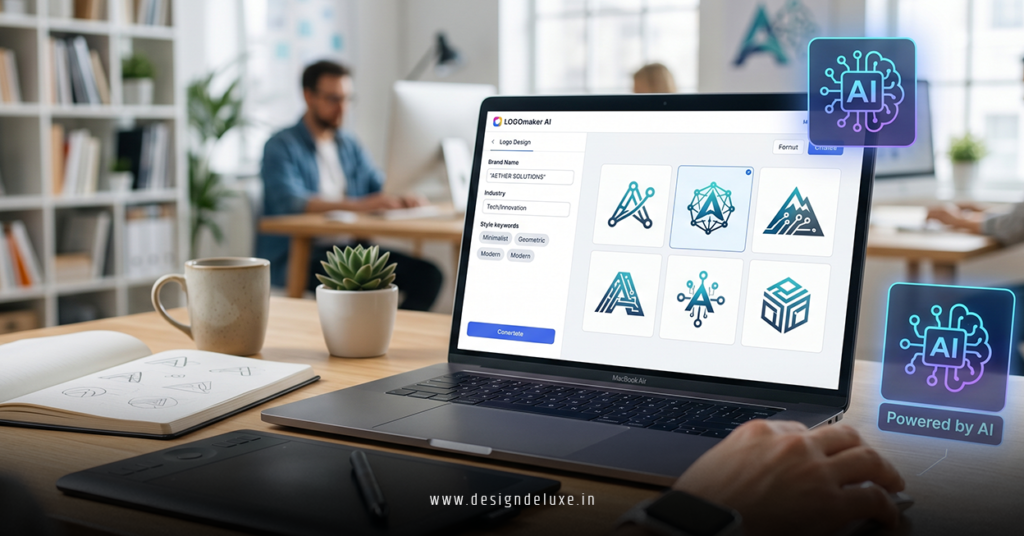
Step-by-Step: Building a Logo with AI Tools in 2026
- Define your brand: Write a short description—industry, vibe, keywords. Example: “Modern tech startup, clean blues and greens, minimalist icon.”
- Pick your tool: Canva for speed, Looka for kits, Renderforest if motion is the plan.
- Generate concepts: Input name, tagline, preferences. Generate 10+ variations.
- Refine: Adjust colors, fonts, layout. Lock core elements early.
- Export and expand: Grab SVG/PNG. Create variations (horizontal, icon-only). Test in mockups.
- Add motion: Export to animation features or dedicated tools for social and packaging use.
Expect solid results on the first try. Stronger ones come after a few prompt tweaks.
Common Mistakes & How to Fix Them
- Too generic prompts: Results look like everyone else’s. Fix: Be specific with style references (e.g., “in the style of Swiss minimalism with subtle gradient”).
- Ignoring vectors: Low-res PNGs haunt you later. Fix: Prioritize tools offering SVG exports.
- Skipping consistency checks: Logo looks great alone but clashes in use. Fix: Generate full brand kit immediately.
- No motion planning: Flat logo limits ad potential. Fix: Choose tools that connect easily to animation (see Renderforest or Canva workflows).
- Over-reliance on AI: Outputs need human taste. Fix: Always edit for your unique voice.
Catch these and your logos look intentional, not algorithmic.
Key Takeaways
- AI Logo Design Tools 2026 make pro-level branding accessible to anyone with a clear vision.
- Canva and Looka handle most beginner needs; Recraft and Renderforest scale with ambition.
- Always export vectors and build a small library of variations.
- Link your static logo directly into motion projects for unified branding.
- Test concepts in real contexts—social previews, packaging renders, website headers.
- Iterate fast. New models drop regularly—stay playful with prompts.
- Combine tools: Generate in one, polish and animate in another.
- Focus on versatility. The best logos work static and dynamic.
AI Logo Design Tools 2026 put power back in your hands. Grab one today, create your mark, and watch how quickly your brand feels complete.
If you’re ready to bring that logo to life across ads and packaging, explore proven workflows in AI motion logo design for social media ads and packaging.
FAQs
What are the best free AI logo design tools in 2026?
Canva offers the strongest free tier with solid AI generation and editing. Others like Wix or limited LogoAI trials work well for testing concepts.
Can AI logo design tools produce motion-ready assets?
Yes. Tools like Renderforest and Canva let you generate static logos then animate them directly—ideal for social media and packaging mockups.
How do I ensure my AI-generated logo looks professional?
Use detailed prompts, choose vector outputs, refine typography manually, and always test across applications. Human oversight turns good AI output into great branding.