Social Media AdvertisingAD Video / Motion Graphics
Instagram and Facebook ad design, motion graphics and video editing services are the difference between ads people scroll past… and ads they actually tap, watch, and buy from. Before going deep, here’s the fast version.
- What it is: Done-for-you or in-house creative work to design static ads, motion graphics, and edited videos tailored to Instagram and Facebook formats.
- Why it matters: These platforms are visual-first. Weak creative kills performance, no matter how good your targeting is.
- Who it’s for: Brands, creators, and agencies that want higher CTR, lower CPMs, and better ROAS without guessing at design and video strategy.
- Key upside: Professional creative can boost performance significantly; Meta’s own resources show that creative quality is one of the strongest levers in ad outcomes.
- Bottom line: If your ads look like generic templates, you’re donating money to competitors who take creative seriously.
What Instagram and Facebook ad design, motion graphics and video editing services actually cover
Think of this as your creative engine for Meta ads.
Done right, these services usually include:
- Instagram and Facebook ad design
- Static image ads, carousels, Stories, Reels covers, feed placements
- Thumbnails, headlines, on-image copy, and CTAs
- Brand-consistent layouts adapted to Meta’s aspect ratios
- Motion graphics
- Animated text overlays, kinetic typography, UI mockups
- Product explainer animations, logo stings, transitions
- Reels and Stories intros/outros that hook viewers instantly
- Video editing
- Cutting raw footage into tight, platform-native ads
- Adding captions, music, sound design, and hooks in the first 3 seconds
- Testing multiple variations (hooks, CTAs, lengths) for different audiences
When you work with serious Instagram and Facebook ad design, motion graphics and video editing services, you’re not just getting “pretty videos.” You’re getting creative built around performance: thumb-stopping hooks, clear value props, and a structure that matches how people actually scroll.
Why these services matter so much in 2026
In my experience, here’s what usually happens.
Media buyers obsess over audiences, bids, and lookalikes. Then they throw in a random image and wonder why the CPM is high and conversions tank.
On Meta, creative is not decoration. It’s the algorithm’s favorite signal.
- Meta’s own Meta for Business and Meta Blueprint education keep repeating that creative quality is one of the biggest drivers of performance inside their auction system.
- According to public data from Meta’s quarterly reports, short-form video formats like Reels are a major growth focus, which means the platform is incentivized to show more engaging video ads.
- A lot of performance marketers now openly say 70–80% of ad performance comes from creative, not just targeting or bidding. That’s opinion, but it aligns with what you see inside real accounts.
So if your ads look like stock-photo slideshows, you’re fighting the algorithm instead of letting it help you.
Quick reference: Types of services, costs, and when they make sense
Here’s an at-a-glance overview you can reference or drop into a proposal.
| Service Type | What You Get | Typical Use Case | Approx. Cost Range (USD) | Turnaround Time |
|---|---|---|---|---|
| Static Ad Design | Feed/Story/Reel cover images, carousels, ad variants | Testing offers, retargeting, simple promos | $50–$250 per concept or bundle | 2–5 business days |
| Motion Graphics Packages | Animated text, product animations, transitions | DTC brands, apps, SaaS, feature explainers | $300–$1,500 per set of ad variants | 5–10 business days |
| Short-Form Video Editing | 15–60 sec ads, Reels, Stories, UGC edits | UGC campaigns, testimonials, founder-led creatives | $150–$600 per video depending on complexity | 3–7 business days |
| Full-Funnel Creative Package | TOF, MOF, BOF assets across formats | Brands running $10k+/mo on Meta ads | $1,500–$10,000+ per month | Ongoing |
| On-Going Creative Subscription | Set number of monthly ad concepts & edits | Businesses constantly testing new creatives | $1,000–$5,000+ per month | Weekly creative drops |
These are realistic ballparks for the U.S. market, but top-tier studios and specialized agencies can go higher, especially for complex motion graphics or intense testing roadmaps.
Core building blocks of high-performing Meta ad creative
If you’re evaluating Instagram and Facebook ad design, motion graphics and video editing services, judge them on these fundamentals.
1. The first 3 seconds: Hook or die
On Reels and feed placements, you’re interrupting a dopamine loop. You get a tiny window.
Strong hooks look like:
- A bold statement that calls out the problem.
- A surprising visual (before/after, split-screen, pattern interruption).
- A quick demonstration that makes someone think, “Wait, what?”
When reviewing creative drafts, ask: Would I stop for this if I wasn’t being paid to look at it?
2. Thumb-stopping visual hierarchy
Good design guides the eye. Great design guides attention to the offer.
You want:
- Clear focus on the product or outcome
- High contrast between foreground and background
- On-image copy that’s short, legible on mobile, and aligned with the headline
If everything is screaming, nothing is heard. Prioritize one central idea per creative.
3. Platform-native formatting
Meta ad specs change over time. In 2026, you’ll still want:
- 1:1, 4:5, and 9:16 versions
- Safe zones respected (no key text in the edges that may be cropped)
- File sizes optimized so load time doesn’t kill performance
Solid Instagram and Facebook ad design, motion graphics and video editing services build these formats in by default.
4. Clear message and CTA
The creative should answer:
- What is this?
- Who is it for?
- What happens if I tap “Learn More” / “Shop Now”?
Video edits should build to a clear CTA while delivering one core promise, not eight.
Step-by-step action plan for beginners
Let’s map this out. If you’re beginner or intermediate in the U.S. and you want to start using Instagram and Facebook ad design, motion graphics and video editing services without burning cash, here’s a simple sequence.
Step 1: Get your offer and audience clear
Before you touch design:
- Write down your primary offer (e.g., “30-day free trial,” “15% off your first order,” “Book a free consult”).
- Write down who you’re talking to (e.g., “busy new moms,” “freelance designers,” “small gym owners in Texas”).
- Define one main action you want them to take.
If you can’t say your offer in one sentence, your creative will be muddy.
Step 2: Audit what’s working in your niche
Steal smart, not sloppy.
- Use Meta’s Ad Library to search competitors and top players in your vertical.
- Screenshot 10–20 ads that keep reappearing or have been running for a long time. Long-running usually hints they’re working.
- Note:
- Hook type (visual vs. text-based)
- Use of motion vs. static
- How they use captions, subtitles, and CTAs
This gives your designer and editor a visual language to reference without copying.
Step 3: Decide what to outsource first
If budget is tight, don’t try to do everything.
For most brands just starting:
- Start with short-form video editing (especially if you can shoot basic footage or UGC).
- Add motion graphics overlays for clarity and polish.
- Supplement with static ads for retargeting, promos, and fast tests.
In my experience, video plus motion almost always beats static as a starting point for testing cold traffic, especially on Reels and Stories.
Step 4: Prep a creative brief that doesn’t suck
Good inputs, good outputs.
Your brief for Instagram and Facebook ad design, motion graphics and video editing services should include:
- Brand guidelines (colors, fonts, logo usage)
- Target audience snapshot and positioning
- Offer details and primary CTA
- Examples from your own content or others you like
- Hard requirements (aspect ratios, max length, do/don’t usage)
You can also lean on official resources like Meta Blueprint or Meta for Business creative guidelines to align your brief with platform best practices.
Step 5: Start with 3–5 distinct concepts
Don’t just iterate the same ad with different background colors.
Ask for:
- 1–2 UGC-style video edits (talking-head, testimonial, “I tried this and…”)
- 1 product-focused motion graphic (feature/benefit driven)
- 1 static or carousel focusing on a strong offer or before/after
Run them in the same campaign with similar budgets to see what resonates.
Step 6: Measure like a pro (even if you’re new)
You don’t need a PhD in analytics.
Track:
- Hook performance: thumb-stop rate, 3-second views, watch time
- Engagement: CTR, outbound clicks
- Business outcomes: leads, add-to-carts, purchases, ROAS
Meta’s ad reporting and Events Manager, combined with your checkout or CRM data, will show you what’s actually working. Tools like Google Analytics (now GA4) can provide additional cross-channel context.
Once you find a winner, iterate ruthlessly:
- Same format, different hook
- Same hook, different offer
- Same structure, different audience angle
This is where strong design and editing partners earn their keep.
What to look for in a creative partner or service provider
Not all Instagram and Facebook ad design, motion graphics and video editing services are created equal.
Red flags
- They only show Dribbble-style mockups, not actual ad results.
- They ignore platform specs and just “make cool videos.”
- They don’t ask about your funnel, offer, or metrics. Just colors and logo.
Green flags
- They talk about hooks, watch time, and CTR, not just “aesthetics.”
- Their portfolio includes Meta ad creatives, not just brand videos.
- They can explain why a concept is framed a certain way: “This is meant to be a pattern interrupt for busy parents scrolling Reels at night.”
If they talk like performance marketers who happen to design and edit, you’re in the right place.
Common mistakes & how to fix them
Everyone trips over the same rocks when they start with Instagram and Facebook ad design, motion graphics and video editing services. Here’s what to watch out for.
Mistake 1: Making brand videos, not ad creatives
Pretty, slow, cinematic… and completely ignored.
Fix:
Ask explicitly for direct-response ad creatives, not “brand videos.” Focus on:
- Fast hooks
- Clear problem/solution framing
- Social proof and specific outcomes
Mistake 2: Overloading the screen with text
If your ad looks like a PowerPoint slide, people bounce.
Fix:
Use minimal on-screen text. Let motion graphics highlight:
- 1 main benefit
- 1–2 secondary proof points
- A clear CTA
The rest can live in the primary text and headline.
Mistake 3: Ignoring captions and sound-off viewers
A lot of users scroll with sound off, especially in public or at work.
Fix:
Always add captions to your videos. Ask your video editing service to:
- Burn in clean, legible subtitles
- Use motion to emphasize key phrases
- Keep line length short and readable
Mistake 4: Not testing multiple hooks
One “brand story” video is not a test. It’s a bet.
Fix:
For any major campaign:
- Create 3–5 hook variations for the same core video
- Cut 15s, 30s, and 45–60s versions
- Test different opening visuals (face close-up, product demo, bold text screen)
Let the data tell you which hook deserves more budget.
Mistake 5: Treating Instagram and Facebook as identical
Yes, they’re both Meta. No, they don’t behave exactly the same.
Fix:
Work with services that:
- Design Reels-first creative for Instagram
- Respect feed vs. Stories vs. Reels behavior
- Tailor visual style slightly (IG often leans more “native” and aesthetic; FB can handle more direct-response style)
Mistake 6: Never refreshing creative
Even strong creatives fatigue. Performance drops. It’s normal.
Fix:
Build a creative calendar and ask your provider for:
- Regular drops of new concepts (weekly or bi-weekly for active accounts)
- Systematic iteration on winners
- Seasonal or promo-based ad sets
Think of creative like fresh inventory on a store shelf. Stale shelves don’t sell.
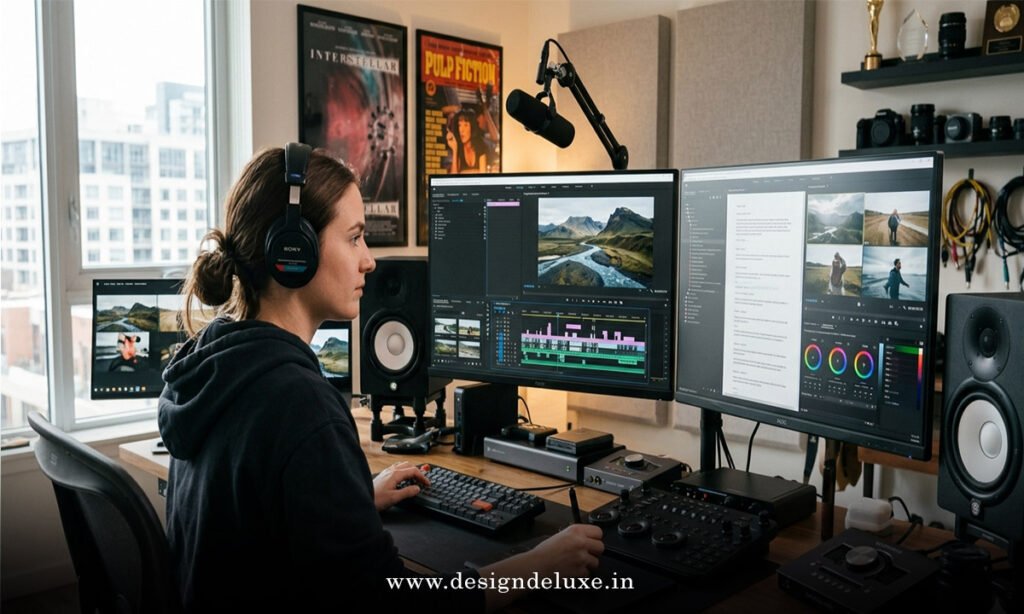
How motion graphics and video editing change the game
Here’s the kicker: motion does what static can’t.
Motion graphics
Great motion graphics:
- Highlight important benefits in a split second
- Visualize intangible things (software, apps, coaching outcomes)
- Give low-budget footage a more “produced” feel without needing a big shoot
They’re especially powerful for:
- SaaS and apps (screen recordings turned into polished animated flows)
- eCommerce products that need explanation
- Course creators and consultants who need to present frameworks or processes visually
Video editing
Good editors think in narrative beats:
- Hook: Why should I care?
- Problem: What’s frustrating right now?
- Solution: How does this product/service fix it?
- Proof: Social proof, demo, testimonials
- CTA: What to do next
With Instagram and Facebook ad design, motion graphics and video editing services working together, you can combine UGC, screen recordings, motion overlays, and sound design into tight, persuasive ads that look native to the feed.
How to work with services if you’re not “creative”
You don’t need to be a designer or editor. You just need to be clear.
When working with Instagram and Facebook ad design, motion graphics and video editing services:
- Give honest context: monthly ad spend, goals, margins, sales cycle.
- Share previous winners and losers: even failed ads teach your creative partner what not to do.
- Be decisive in feedback: instead of “I don’t like it,” say “This hook doesn’t match how our customers talk,” or “Can we make the product the main focus in the first 2 seconds?”
Think of it like a good chef and a good waiter. The service handles the cooking. Your job is to describe what the table actually wants.
Key takeaways
- Instagram and Facebook ad design, motion graphics and video editing services turn “random posts” into performance-focused creative built for Meta’s algorithm.
- Strong creative leans on fast hooks, clear offers, and platform-native formatting more than fancy visuals for their own sake.
- Beginners should start with a clear offer, simple creative brief, and 3–5 distinct concepts—then iterate based on data.
- Common pitfalls include making brand films instead of ads, overcrowding text, skipping captions, and never testing multiple hooks.
- Motion graphics and smart video editing help explain products faster, boost watch time, and give even low-budget footage a high-impact feel.
- The best providers think like performance marketers who design and edit, not just artists who hand over “cool looking” assets.
- Regular creative refreshes and ongoing testing are non-negotiable if you’re spending real money on Meta ads.
- You don’t have to be “creative”—you just need clear goals, honest data, and a partner who understands how to turn both into scroll-stopping assets.
When you pair a sharp offer with strategic Instagram and Facebook ad design, motion graphics and video editing services, you stop playing the “I hope this works” game and start running a reliable creative engine that compounds over time. The next step? Audit your current ads, pick one campaign, and commit to testing three new creatives next month. Let the results do the talking.
FAQs about Instagram and Facebook ad design, motion graphics and video editing services
1. How much should I budget monthly for Instagram and Facebook ad design, motion graphics and video editing services if I’m spending around $3,000 on ads?
If you’re spending about $3,000/month on media, a good rule of thumb is to invest 10–30% of that in creative, meaning roughly $300–$900 monthly on Instagram and Facebook ad design, motion graphics and video editing services. That should cover multiple new concepts and variations each month so your account doesn’t stagnate.
2. Can I repurpose TikTok content for Instagram and Facebook ad design, motion graphics and video editing services?
Yes, but it shouldn’t be a blind copy-paste. A strong editing service will adapt hooks, aspect ratios, captions, and motion graphics so the assets feel native to Instagram Reels, Stories, and Facebook feed, instead of looking like recycled TikToks with the wrong pacing or watermark issues.
3. How long does it take to see results after improving Instagram and Facebook ad design, motion graphics and video editing services?
If tracking is set up correctly, you can usually see directional changes in metrics like CTR, CPM, and cost per result within 3–7 days of launching new creatives, depending on your budget and optimization. The real advantage compounds over a few weeks as you identify winning patterns and feed Meta a steady stream of strong creative inputs.