Artificial IntelligenceAD Video / Motion GraphicsBrand PackagingLogo Design
AI adaptive 3D logo design with motion graphics packaging 2026 stands out as one of the smartest moves brands can make right now. It turns static marks into living assets that shift across screens, contexts, and even user behaviors while delivering eye-catching animations that stick in memory.
- What it is: AI-powered tools generate, refine, and animate 3D logos that adapt in real time—scaling, morphing, or reacting to device, lighting, or platform—then wrap them into dynamic packaging mockups and motion sequences.
- Why it matters: In 2026, motion-led branding drives engagement. Static logos feel dated. Adaptive 3D versions with subtle animations boost recall and work seamlessly from social feeds to physical shelves.
- Who wins: Beginners get fast prototypes. Intermediates layer in custom control. Everyone saves time and stands out.
- The payoff: Faster iteration, lower costs, and visuals that feel premium without the old six-figure agency bill.
Here’s the thing. Brands that treat logos as flexible systems win attention in crowded feeds. AI makes that practical.
What Makes AI Adaptive 3D Logo Design Different in 2026
Forget heavy metallic spins or flying particles. Today’s versions lean soft, intentional, and responsive. Logos adjust shape, depth, or color subtly based on context—darker mode, mobile crop, or AR preview. Motion graphics add micro-animations that feel alive but never distract.
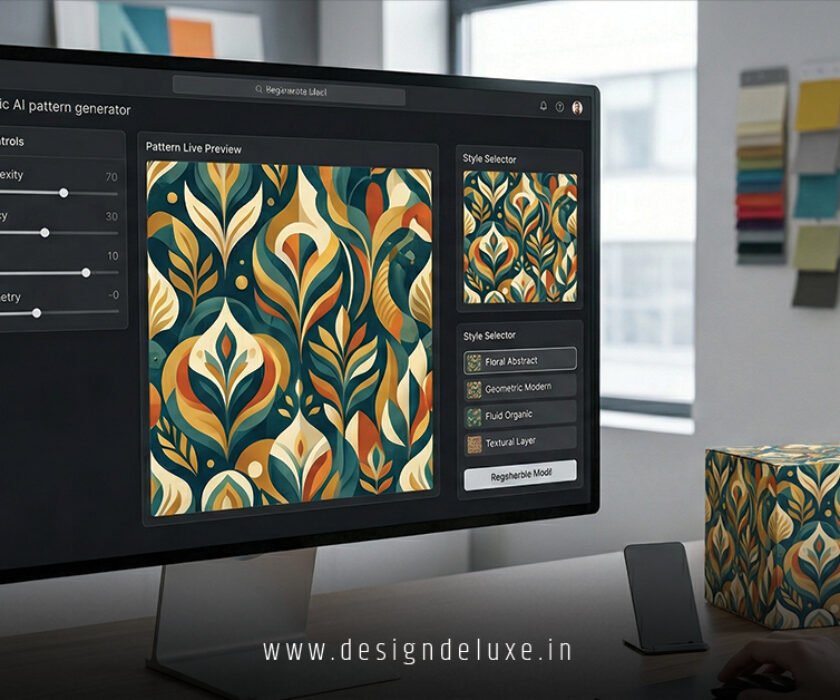
Packaging enters the mix too. AI generates 3D product renders where your logo animates across boxes, labels, or digital twins. Think a coffee bag that subtly pulses on an e-commerce page or a sleek tech gadget box with fluid reveals.
The kicker? It all starts from a single prompt or base asset. Tools now handle text-to-3D, image-to-animation, and even procedural variations that keep your brand consistent.
Key Tools Powering AI Adaptive 3D Logo Design with Motion Graphics Packaging 2026
You don’t need a full studio anymore. Mix these:
- Meshy AI or similar text-to-3D generators: Turn prompts or 2D logos into detailed 3D models fast.
- Adobe Firefly and Express: Handle animation, packaging mocks, and safe commercial assets. Great for polishing.
- Blender with AI plugins: For intermediates who want full control over lighting, physics, and exports.
- Runway, Kling, or Higgsfield: Generate motion sequences from stills or descriptions. Perfect for logo stingers and packaging videos.
- Spline or Canva Magic: Browser-based options for quick interactive 3D and adaptive previews.
| Tool/Approach | Best For | Time to First Asset | Skill Level | Approx. Cost (2026) |
|---|---|---|---|---|
| Pure AI (Meshy + Runway) | Rapid concepts & motion | 5-15 minutes | Beginner | Free tier / $10-50/mo |
| Hybrid (Blender + AI) | Custom depth & packaging | 1-4 hours | Intermediate | Free / $20-100/mo plugins |
| Adobe Suite | Professional polish & integration | 30-90 minutes | Any | Subscription |
| No-code (Canva/Spline) | Quick packaging mocks | Under 30 minutes | Beginner | Low / Free options |
This breakdown shows real options. Pick based on your deadline and comfort.
Step-by-Step: Build Your First AI Adaptive 3D Logo with Motion and Packaging
Start simple. What I’d do if I were sitting next to you:
- Define your base: Sketch or describe your core logo idea. Include colors, mood, and usage contexts (app icon, billboard, product label).
- Generate the 3D foundation: Feed a prompt into a text-to-3D tool. “Create a clean minimalist tech logo in soft 3D with subtle metallic sheen, adaptable for dark/light modes.” Refine with reference images.
- Add adaptability: Use tools that support variants. Generate versions for square, horizontal, and vertical formats. Test responsiveness in Spline or a web preview.
- Bring in motion: Import to an animation tool. Add gentle rotations, light shifts, or morphs. Keep it quiet—micro-motions perform best in 2026.
- Package it: Prompt AI for 3D product scenes. “Show this 3D logo on premium coffee packaging, rotating slowly under studio light.” Export stills and short clips.
- Optimize and export: Check file sizes for web. Render GLB for AR or MP4 for social. Test across devices.
- Iterate: Run A/B tests on motion variants. What feels premium? What loads instantly?
Expect your first solid version in under an hour as a beginner. The process clicks fast once you play with prompts.
Common Mistakes & How to Fix Them
Even seasoned designers trip here.
- Overdoing the animation. Flashy spins kill professionalism. Fix: Limit to 2-3 subtle keyframes. Ask yourself—does this add value or just move?
- Ignoring performance. Heavy 3D kills mobile load times. Fix: Use low-poly versions for web and optimize textures aggressively.
- Inconsistent branding across contexts. A gorgeous 3D logo that breaks on packaging. Fix: Design the system first. Create rules for color, depth, and motion behavior.
- Relying solely on AI output. Raw generations often lack soul. Fix: Always refine manually. Treat AI as a junior designer—great ideas, needs direction.
- Skipping accessibility. Fast motion can trigger issues. Fix: Include static fallbacks and respect reduced-motion preferences.
What usually happens is teams rush the polish stage. Slow down there.
Real-World Impact and Packaging Integration
Adaptive 3D shines on shelves and screens. Imagine a skincare brand where the logo gently glows on the bottle render, then animates into a story on Instagram. Or a SaaS tool whose mark shifts from flat icon to full 3D hero in the dashboard.
For packaging specifically, AI speeds up structural mocks and surface graphics. You can visualize how foil stamping or embossing interacts with your 3D logo before production. Check out resources from the Packaging School for deeper dives into AI-assisted physical design.
Need inspiration? Adobe’s trends hub highlights how motion now sits at the core of brand systems.
Key Takeaways
- AI adaptive 3D logo design with motion graphics packaging 2026 makes dynamic branding accessible to teams of any size.
- Focus on soft depth, purposeful micro-motion, and multi-context adaptability rather than spectacle.
- Start with core prompts, iterate with human judgment, and always optimize for performance.
- Hybrid workflows (AI + traditional tools) deliver the best results.
- Packaging integration turns your logo into a full sensory experience across digital and physical.
- Test relentlessly—motion that works on desktop might flop on mobile.
- Budget for refinement time. AI gets you 70% there quickly.
- Stay current. Tools evolve monthly in this space.
Bottom line: Brands that embrace this approach don’t just look modern. They connect better, iterate faster, and own more shelf space—literal and digital. Grab a free-tier tool today, mock up one logo variant, and see the difference yourself. Your next project will thank you.
FAQs
How long does it take to create a professional AI adaptive 3D logo design with motion graphics packaging 2026?
Beginners can get a solid animated concept and basic packaging mock in 30-90 minutes. Polished, production-ready assets take a few hours to a day depending on revisions.
Do I need coding skills for adaptive 3D logos?
No. Modern no-code and AI platforms handle most adaptability. For advanced web integration, basic CSS or tools like Spline suffice. Intermediates often blend them without deep dev work.
Is AI adaptive 3D logo design with motion graphics packaging 2026 suitable for small businesses?
Absolutely. It levels the playing field. Small teams can now produce assets that rival big brands at a fraction of the cost and time.