WebsiteAD Video / Motion GraphicsAd'sBanner DesigningDESIGN
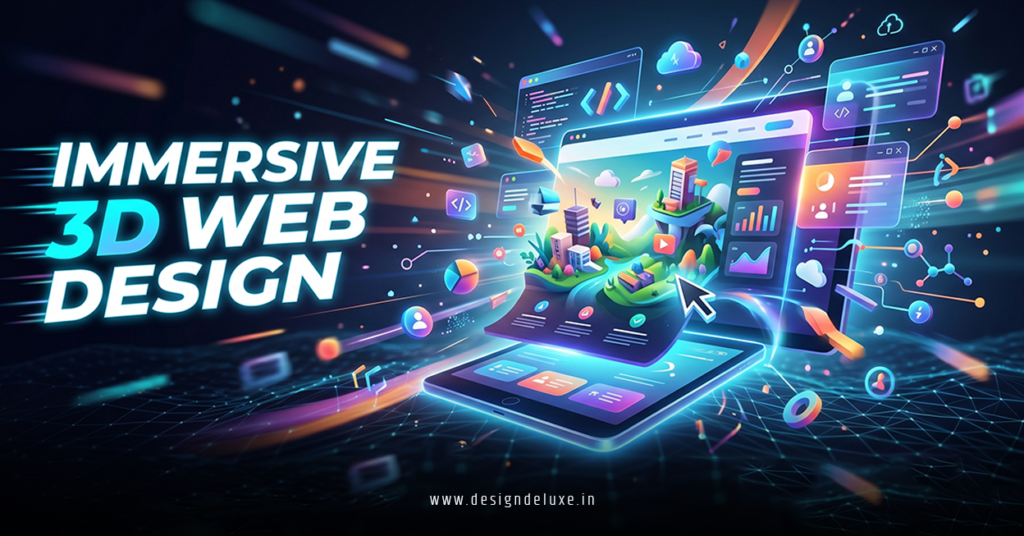
Immersive 3D web design banner ads motion graphics transform flat digital spaces into experiences that pull users in and refuse to let go.
Immersive 3D web design banner ads motion graphics combine depth, interaction, and fluid movement to create hero sections, ad units, and promotional banners that feel alive. Think rotating product models you can spin with your mouse, environments that shift as you scroll, or banner ads where elements burst into motion on hover.
In 2026, these aren’t flashy add-ons. They drive real results for brands fighting for attention in crowded feeds and slow-loading sites.
- What they are: Browser-based 3D scenes built with WebGL that integrate motion graphics for banners, headers, and ads.
- Why they matter: They boost engagement, reduce bounce rates, and help products stand out in e-commerce, real estate, and marketing campaigns.
- Who needs them: Beginners experimenting with tools like Spline and intermediates pushing Three.js for custom work.
- Key payoff: Higher time-on-site and conversions without sacrificing performance when done right.
- 2026 reality: Accessible to non-coders, optimized for mobile, and increasingly expected by users.
Why Immersive 3D Web Design Banner Ads Motion Graphics Dominate in 2026
Static banners die fast. Users scroll past them in under a second. Add the third dimension plus purposeful motion and suddenly that banner becomes a mini-world people want to explore.
Here’s the thing: depth triggers curiosity. A 3D product that rotates or lights up as you move your cursor feels tangible. Motion graphics guide the eye, tell a quick story, and make your message stick.
What usually happens is visitors linger. They interact. They remember. Brands in retail and services see this translate to fewer returns and more confident purchases.
Performance used to kill these ideas. Heavy files meant slow loads and frustrated mobile users. Today’s tools and browsers handle it better, especially with smart optimization like level-of-detail (LOD) and compressed textures.
The kicker? You don’t need a massive budget or a full dev team anymore.
Core Technologies Powering These Experiences
WebGL serves as the foundation, letting browsers render 3D graphics directly. Three.js sits on top as the go-to JavaScript library for building complex scenes efficiently.
For faster workflows, Spline acts like Figma for 3D. Designers build, animate, and export interactive scenes with minimal code, then drop them into Webflow, Framer, or custom sites.
React Three Fiber brings Three.js into React projects for component-based development. GSAP handles buttery-smooth animations layered on top.
These tools let you create everything from subtle hover effects on banner ads to full immersive hero sections with particle systems and dynamic lighting.
Tools and Getting Started for Beginners
Start simple. No need to dive straight into raw code.
Recommended stack for 2026:
| Tool | Best For | Skill Level | Cost | Learning Curve |
|---|---|---|---|---|
| Spline | Quick interactive 3D banners & heroes | Beginner-Intermediate | Free tier / Paid plans | Low |
| Three.js | Custom high-performance scenes | Intermediate+ | Free | Medium-High |
| Framer / Webflow | No-code integration with motion | Beginner | Subscription | Low |
| Blender (export to web) | High-quality 3D asset creation | All levels | Free | Medium |
| GSAP | Orchestrating scroll & interaction animations | Intermediate | Free / Club | Low-Medium |
Step-by-Step Action Plan for Beginners
- Pick your first project: Design a simple product banner. One 3D model, basic rotation on hover, and a call-to-action that fades in.
- Learn the basics: Spend a weekend in Spline’s editor. Import a free model or build a simple shape. Add lights, camera movement, and one animation.
- Export and embed: Generate the code snippet or React component. Drop it into your site builder. Test on desktop and mobile.
- Add motion graphics: Use timelines for entrance animations. Trigger them on scroll or intersection observers.
- Optimize ruthlessly: Compress textures, use low-poly models where possible, implement lazy loading, and monitor with browser dev tools.
- Test and iterate: Run A/B tests. Track engagement metrics like time on banner and click-through rate.
- Scale up: Once comfortable, layer in more complexity with Three.js for unique interactions.
What I’d do if starting fresh? Block out two hours a day for one week. Build three versions of the same banner—simple, medium, and ambitious. You’ll learn more from shipping than from watching tutorials.
Pros, Cons, and Realistic Trade-offs
Pros:
- Massive engagement lift—interactive 3D can increase time spent significantly.
- Stronger brand perception and product understanding.
- Versatile across devices with proper setup.
- Memorable storytelling through motion.
Cons:
- Can hurt performance if unoptimized (large file sizes, high draw calls).
- Accessibility challenges—ensure keyboard navigation and reduced motion options.
- Steeper initial learning for pure code approaches.
- Higher upfront time investment than flat design.
Balance is everything. Use 3D where it adds value, not everywhere.
Common Mistakes & How to Fix Them
Newcomers overload scenes with too many high-res assets. Result? Janky performance and high bounce rates. Fix: Start low-poly, profile with Lighthouse, and use texture atlases.
Another classic: motion for motion’s sake. Flashy animations that distract from the message. Fix: Every movement should serve a purpose—guide attention, reveal info, or reinforce branding. Ask yourself: Does this help the user understand or act?
Accessibility often gets ignored. Users with vestibular disorders or on low-power devices suffer. Fix: Respect prefers-reduced-motion, add alt text equivalents, and provide fallback 2D versions.
Forgetting mobile. Many 3D experiences break or drain battery on phones. Fix: Test early on real devices, use responsive scaling, and consider device capabilities.
Ignoring load times. A beautiful banner that takes 8 seconds to appear kills conversions. Fix: Progressive loading, CDN delivery, and critical path optimization.
Advanced Techniques for Intermediate Creators
Layer parallax with 3D depth for richer scrolling stories. Combine with WebXR for occasional AR previews on mobile.
Use dynamic lighting and materials that react to user input. Procedural animations keep experiences feeling fresh across visits.
For banner ads, focus on lightweight HTML5 exports that work in ad networks while maintaining 3D flair through clever shaders and limited geometry.
Explore integrations with e-commerce platforms for real-time product configurators inside banners.
One fresh analogy: Think of traditional banners as postcards and immersive 3D motion graphics as short interactive films. The postcard gets glanced at. The film gets watched, shared, and remembered.
Have you ever spun a product model online and suddenly felt more confident buying it? That emotional shift is the real power here.
Learn more about WebGL fundamentals from the Mozilla Developer Network.
Explore production examples at Active Theory.
Dive into no-code workflows with Spline’s resources.
Key Takeaways
- Immersive 3D web design banner ads motion graphics turn passive scrolling into active exploration.
- Prioritize performance and purpose over pure spectacle.
- Tools like Spline lower the barrier dramatically for 2026 projects.
- Test relentlessly on real devices and users.
- Combine with strong motion design principles for maximum impact.
- Always include fallbacks and accessibility features.
- Start small, ship fast, then layer complexity.
- Measure results—engagement and conversions tell the true story.
These techniques give you an unfair advantage in crowded markets.
Your next move? Open Spline or your favorite editor today. Build one small interactive banner this week. See how it feels to create something that moves and breathes on the page. The difference in user response will hook you.
FAQs
How do immersive 3D web design banner ads motion graphics impact SEO and page speed?
They can help SEO through increased dwell time and engagement signals when optimized. Poor implementation hurts speed—always compress assets, lazy-load, and monitor Core Web Vitals closely.
What’s the best way for beginners to create immersive 3D web design banner ads motion graphics without coding?
Use Spline for visual 3D creation and export, then embed in Framer or Webflow. Add simple interactions and animations through their built-in tools. It’s production-ready fast.
Can immersive 3D web design banner ads motion graphics work effectively for mobile users?
Yes, with careful optimization. Use responsive design, limit complex effects on mobile, provide reduced-motion alternatives, and test thoroughly. Performance is non-negotiable for smaller screens.