Social Media Advertising
TikTok video design isn’t just about slapping a filter on a clip and hoping for the best anymore. It’s a discipline now — part psychology, part craft, part pure gut instinct. If you’ve spent any time scrolling the For You Page lately, you already know the algorithm rewards specific visual choices, not just “good content” in some vague sense.
Here’s the quick-hit version before we go deep:
- Design is retention, not decoration. Every visual choice — text placement, pacing, color — exists to keep thumbs from scrolling.
- Lo-fi beats polished in most niches right now. Overly produced videos read as ads, and ads get skipped.
- Native text overlays and captions aren’t optional. They’re now core to watch-time and accessibility.
- Vertical-first, safe-zone-aware framing prevents your key visual info from getting buried under UI elements.
- Sound-first editing — designing the cut around the audio beat — consistently outperforms video edited in silence.
Let’s break down what’s actually working, why it works, and how you build a repeatable process around it.
Why TikTok Video Design Matters More Than Ever
Here’s the thing nobody tells beginners: TikTok’s algorithm doesn’t care about your brand story. It cares about watch time, completion rate, and re-watches. Design is the lever you pull to influence all three.
Think of your video’s first two seconds like a bouncer at a club door. Bad design gets you turned away before anyone even sees what’s inside. Good design — a strong hook frame, legible text, punchy pacing — gets you past the velvet rope and into someone’s actual attention span.
This isn’t opinion dressed up as fact. TikTok’s own creator resources emphasize that video structure and pacing directly affect distribution through the recommendation system [1].
The Core TikTok Video Design Trends Driving Growth Right Now
1. Lo-Fi, One-Take Authenticity
Slick studio production is losing ground. In my experience testing content across niches, videos that look like they were shot on a phone in a bedroom — because they were — routinely outperform anything with a ring light and a teleprompter.
Why? It reads as native, not promotional. People trust what looks unscripted.
What I’d do if I were starting today: film one authentic take before you even attempt a “polished” version. Compare performance. You’ll likely be surprised.
2. Text-Overlay-Driven Storytelling
Captions and on-screen text aren’t just for accessibility anymore, though that matters plenty. They’re now a primary storytelling device.
Short bursts of text — three to six words per screen — paired with a strong verbal delivery create a layered viewing experience. Viewers with sound off still get the story. Viewers with sound on get reinforcement.
3. Sound-First Cutting
Editing to the beat of trending audio isn’t a gimmick. It’s structural. Cuts that land on a beat drop or a vocal punch feel satisfying in a way silent edits never will.
This is a craft skill, not a software trick. Watch how top creators time their cuts — it’s usually within a single frame of the audio hit.
4. POV and Companion-Style Framing
Point-of-view content — filming as if the viewer is inside the moment — continues gaining ground because it collapses the distance between creator and audience. Companion content (study-with-me, work-with-me, get-ready-with-me) works on a similar principle: it simulates presence.
5. Safe-Zone-Aware Vertical Framing
This one’s purely technical, and beginners skip it constantly. TikTok’s interface covers the bottom and right edges of your frame with captions, usernames, and engagement buttons.
Design your shots — and place your text — inside the visible safe zone, or your best joke gets hidden behind a “Follow” button.
TikTok Video Design: Trends Compared by Effort, Cost, and Impact
| Design Trend | Time Investment | Cost | Typical Impact on Retention |
|---|---|---|---|
| Lo-fi, one-take filming | Low (5–15 min) | Free–Low | High — feels authentic, boosts trust |
| Text-overlay storytelling | Medium (editing time) | Free (built-in app tools) | High — supports sound-off viewing |
| Sound-first beat editing | Medium–High (requires practice) | Free–Low | High — improves completion rate |
| POV/companion framing | Low–Medium | Free | Medium–High — builds parasocial connection |
| Safe-zone-aware composition | Low (planning step) | Free | Medium — prevents lost engagement, not a growth driver alone |
Step-by-Step: A Beginner’s TikTok Video Design Action Plan
Getting your first few videos designed well doesn’t require a film degree. It requires a process. Here’s mine, stripped down for someone starting from zero.
- Nail the hook frame first. Before shooting anything else, script and film your first three seconds. This is the single highest-leverage part of the entire video.
- Shoot vertical, native. Use your phone. Skip external cameras unless you’re already getting consistent traction.
- Pick trending audio deliberately. Browse TikTok’s Creative Center to see what’s actually gaining traction in your niche right now [2].
- Edit to the beat. Even simple cuts landing on a drum hit or a lyric change the pacing feel entirely.
- Add captions inside the safe zone. Keep text short, punchy, and centered away from screen edges.
- Watch it back on mute. If the story doesn’t land without sound, your design needs another pass.
- Post, then study the analytics. Average watch time and re-watch rate tell you more than likes ever will.
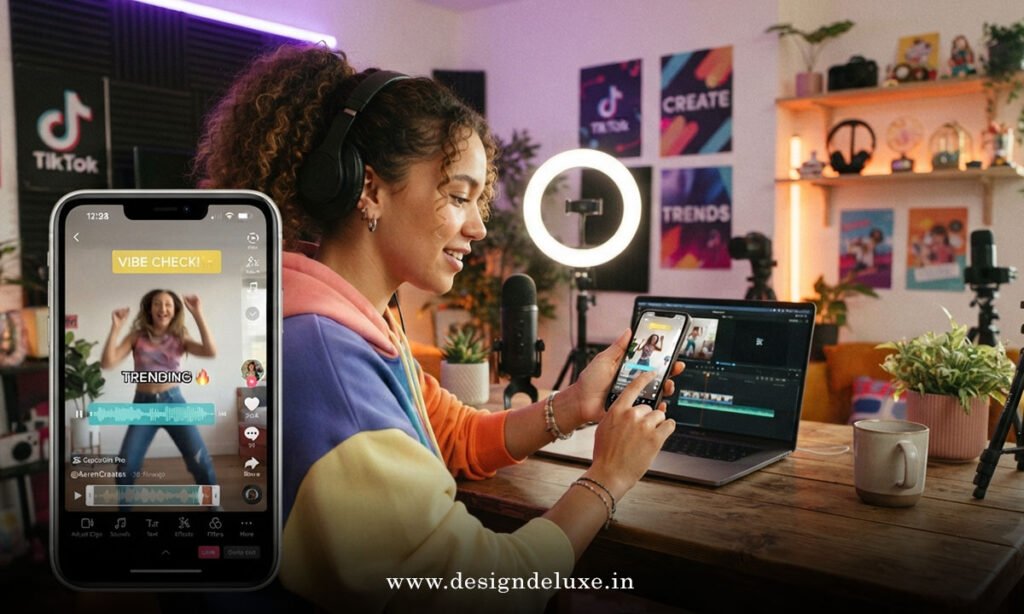
Common Mistakes & How to Fix Them
Mistake 1: Overproducing the video.
Fix: Strip it back. Film handheld, natural light, one take. Save the tripod and ring light for content that specifically calls for polish, like tutorials.
Mistake 2: Burying the hook.
Fix: Move your best line, visual, or claim to the literal first frame. Nothing — not intros, not logos — comes before it.
Mistake 3: Cluttered text placement.
Fix: Design with the safe zone in mind from the storyboard stage, not as an afterthought in editing.
Mistake 4: Editing in silence.
Fix: Drop your chosen audio into the timeline first. Cut to it, not around it.
Mistake 5: Ignoring pacing data.
Fix: Check your average watch percentage weekly. A steep drop-off at a specific second usually points to a design problem you can fix directly.
Where TikTok Video Design Is Headed Next
Longer-form vertical content — 60 to 180 seconds — is gaining real traction as TikTok leans harder into search and discovery, not just pure entertainment scrolling. That shift changes design math. You’re no longer just optimizing for a three-second hook; you’re pacing an entire mini-episode.
Search-optimized visual design matters more too. Clear on-screen text that literally states the topic helps TikTok’s search function surface your content the way a headline helps Google.
Is any of this permanent? No — TikTok trends evolve fast, sometimes within weeks. But the underlying principle — design that respects attention and platform mechanics — isn’t going anywhere.
Key Takeaways
- TikTok video design directly influences algorithmic distribution through watch time and completion rate.
- Lo-fi, authentic-feeling footage currently outperforms studio-polished content across most niches.
- Text overlays function as core storytelling, not decoration — design them for sound-off viewers.
- Cutting to the beat of trending audio measurably improves pacing and viewer satisfaction.
- Safe-zone-aware framing prevents your best content from being hidden behind TikTok’s interface.
- Longer, search-optimized videos are becoming a bigger part of the platform’s growth playbook.
- Consistent review of analytics — not guesswork — should drive your ongoing design decisions.
Good TikTok video design isn’t about chasing every trend that pops up on your feed this week. It’s about internalizing the handful of principles — hook strength, pacing, legibility, authenticity — that keep showing up underneath whatever aesthetic happens to be trending. Master those, and you’re not just riding trends. You’re building a system that survives them.
Start small: pick one video this week, apply the safe-zone and hook-frame fixes above, and measure the difference in your analytics before you scale anything up.
FAQs
Does TikTok video design actually affect the algorithm, or is that overstated?
It’s not overstated. TikTok’s recommendation system weighs watch time and completion heavily, and design choices — hook strength, pacing, text clarity — are what shape those metrics directly.
What’s the biggest TikTok video design mistake beginners make in 2026?
Overproducing. Polished, ad-like videos tend to get skipped faster than raw, one-take footage that feels native to the platform.
How long should a TikTok video be if I’m focused on growth?
There’s no single magic number, but many creators are seeing strong performance with videos in the 60–180 second range when the content is genuinely useful or entertaining throughout — shorter is fine too if your story wraps up naturally.