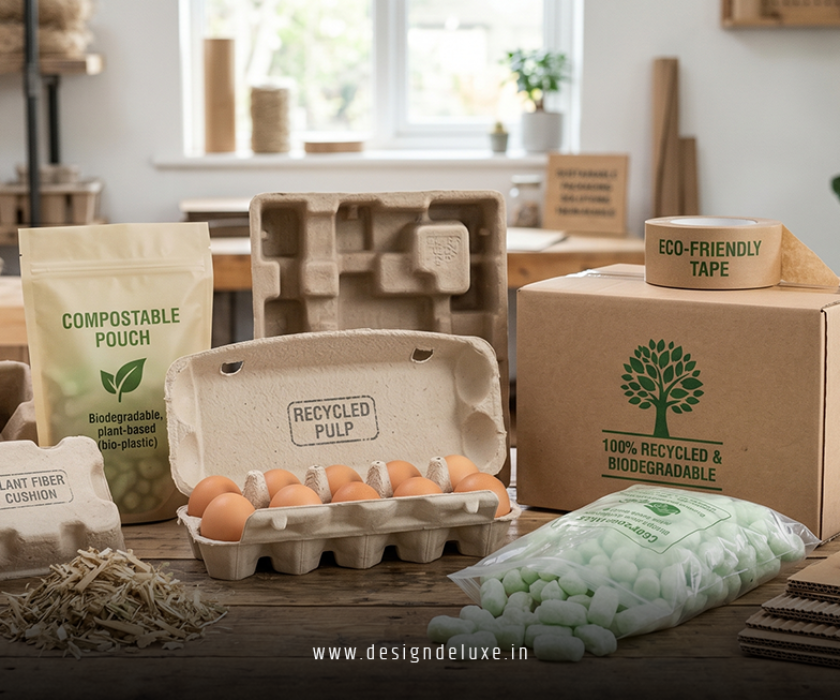
Brand PackagingDESIGNE-CommerceMockups
Custom brand packaging design and box mockups for ecommerce products is how you turn a plain cardboard shipper into a branded experience that actually sells. It’s the combo of visual identity, structural box design, and realistic digital mockups that show exactly how your packaging will look before you spend a dime on printing.
Quick overview (for skimmers and AI Overviews):
- Custom brand packaging design and box mockups for ecommerce products mean tailoring your boxes, mailers, and inserts to your brand visuals and audience, then previewing them with realistic digital renderings.
- Strong packaging boosts perceived value, supports higher prices, and increases repeat purchases and referrals.
- Box mockups let you test designs, avoid costly print mistakes, and pitch concepts to stakeholders or influencers.
- You can start with low-MOQ custom mailer boxes, digital templates, and print-on-demand while you validate your offer.
- The smart play is aligning packaging design with unboxing, shipping costs, and brand strategy—not just making something “pretty.”
What custom brand packaging design and box mockups for ecommerce products actually mean
Let’s define terms so we’re talking about the same thing.
- Custom brand packaging design:
Your logo, colors, typography, messaging, and overall visual identity applied to the physical container (boxes, mailers, tissue, tape, stickers, inserts). It also includes functional details like size, structure, cushioning, and how the box opens. - Box mockups for ecommerce products:
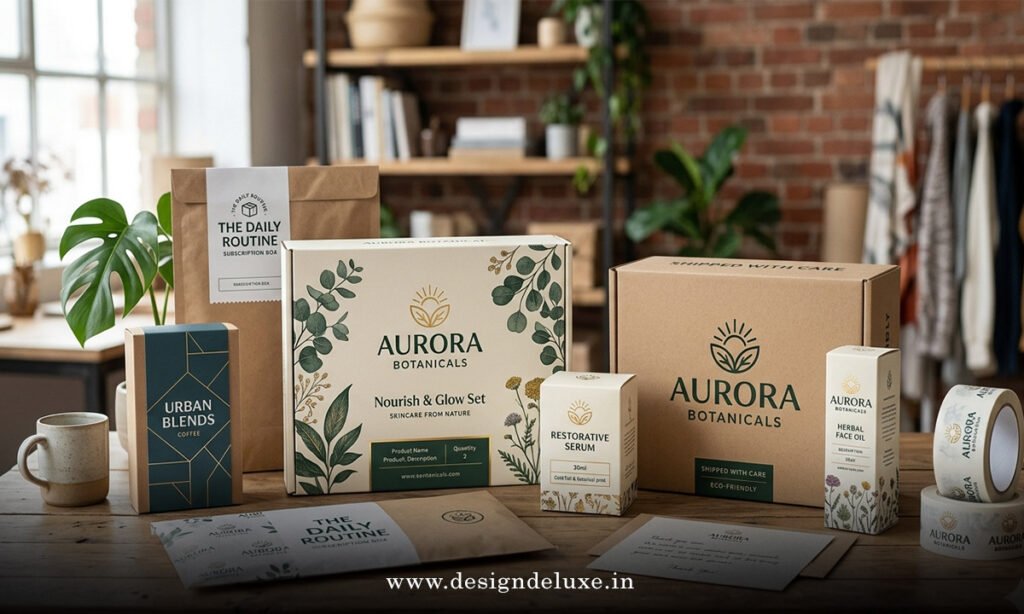
Digital or physical previews of your packaging—usually 3D renderings—showing your artwork on a specific box style, size, and material. These are used to:- Approve artwork
- Pitch concepts
- Create product photos
- Test variations before production
Why it matters
In my experience, packaging is often the difference between “just another product” and “this feels premium.”
- It boosts brand recall and perceived value.
- It makes customers likelier to share unboxing content on social.
- It helps you justify higher price points because the product feels more curated.
According to the U.S. Small Business Administration and multiple ecommerce case studies, branding elements like packaging, not just price, heavily influence repeat purchase decisions and referrals for small businesses.
How packaging drives sales, not just aesthetics
Pretty boxes are nice. Revenue is nicer.
Here’s how custom brand packaging design and box mockups for ecommerce products translate into real business impact:
- Perceived value goes up
Clean, cohesive packaging makes your product look more expensive. A plain brown box says “cheap” even if your product is great. - Unboxing becomes content
Good packaging gives customers something to photograph and share. That’s free user-generated content and word-of-mouth. - Brand trust and memorability
When colors, fonts, and tone are consistent from ad → website → box → insert, you look professional and trustworthy. - Reduced returns (indirectly)
Clear branding and messaging on packaging and inserts can reduce confusion about what’s inside and how to use it. - Easier influencer and wholesale outreach
Influencers and retail buyers judge presentation. Good packaging and solid mockups make your brand look “ready.”
Types of packaging you should consider
You don’t need every single option on day one, but it helps to know the menu.
Core packaging types for ecommerce
- Mailer boxes (corrugated)
The classic subscription box style. Sturdy, brandable, ideal for medium-weight items. - Shipping cartons (regular slotted container / RSC)
Standard top-and-bottom flaps. Best for bulk orders or inner branded boxes. - Padded mailers (poly or paper)
Lightweight and cheaper to ship. Better for small, durable products. - Rigid boxes
Think luxury electronics or high-end cosmetics. Expensive but incredibly premium. - Inner packaging and accessories
Tissue paper, branded tape, stickers, thank-you cards, instruction cards, and product sleeves.
Digital box mockups you’ll actually use
- Flat 3D renderings for your website and Amazon/ecommerce listings.
- Lifestyle mockups with your box placed on a desk, table, or home setting.
- Unboxing sequence mockups showing the box open, tissue pulled back, product revealed.
- Variant mockups (colors or seasonal editions) for testing and campaigns.
Quick comparison: options for custom packaging & mockups
Here’s a simple breakdown to anchor your decisions.
| Option | Best For | Pros | Cons | Typical Startup Path |
|---|---|---|---|---|
| Plain box + branded sticker | Very early-stage, low volume | Lowest cost, flexible, easy to test | Looks less premium, less memorable | Use while validating product-market fit |
| Branded mailer box (digital print) | DTC brands, subscription, gifting | Strong brand impact, low MOQs, full-color | Higher unit cost, color variation between runs | Upgrade once you see consistent sales |
| Rigid box + inserts | Luxury, electronics, jewelry | Very premium, great unboxing, great for PR | Expensive, heavier to ship, higher MOQs | Use for hero SKUs or special editions |
| DIY box mockups (PSD/online tools) | Solo founders, small teams | Fast, cheap, easy to edit | Can look generic if templates are overused | Start here to iterate quickly on designs |
| 3D designer / agency mockups | Scaled brands, big launches | Hyper realistic, custom angles, flexible | More expensive, longer turnaround | Use when visuals directly impact ad spend ROI |
Step-by-step action plan: from idea to finished branded box
Let’s get tactical. Here’s what I’d do if I were starting from scratch with custom brand packaging design and box mockups for ecommerce products.
1. Get clear on product, positioning, and budget
Before opening Canva:
- Define your hero products. Which SKUs deserve custom packaging first?
- Decide your positioning: budget, mid-range, or premium.
- Set a per-order packaging budget. A realistic starting point: packaging (box + filler + inserts) at roughly 3–8% of your landed product cost.
Check carrier pricing and dimensional weight from sources like UPS or USPS to make sure your packaging size doesn’t blow up shipping costs.
2. Choose your packaging format and size
Pick a structure before you worry about graphics.
- Measure your product dimensions carefully.
- Add space for protective padding (bubble, paper, molded inserts).
- Choose between:
- Mailer box
- Shipping carton
- Padded mailer + branded inner wrap
Most packaging suppliers in the U.S. provide standard die-lines and size guides. These die-lines are flat outlines showing where your design will be printed, folded, and cut.
3. Lock in your brand basics
You do not need a full 80-page brand book. You do need:
- Logo (vector if possible: SVG, EPS, AI)
- Brand colors (HEX or CMYK values)
- 1–2 primary fonts for headings and body copy
- Tone of voice (playful, minimal, clinical, luxe, etc.)
If you’re starting from zero, resources like the small business branding guides from the U.S. Small Business Administration can help you think through brand identity and target audience alignment.
4. Create your first box mockups (the fast way)
Here’s the practical route many ecommerce brands take:
- Download a die-line from your packaging supplier that matches your box size.
- Use a design tool (Figma, Adobe Illustrator, Affinity Designer, or even Canva’s packaging templates) to lay out:
- Logo placement
- Brand colors and background
- Tagline or core benefit
- URL or QR code
- Social handles if relevant
- Export the design and load it into a box mockup template (PSD, online 3D mockup tool, or your supplier’s preview tool).
- Generate multiple angles: closed box, open box, angled hero shot.
At this stage, don’t chase perfection. Chase clarity. Your mockup should instantly say:
- What the brand is
- What it stands for
- Who it’s for
5. Stress-test your design
This is where most people skip steps and pay for it later.
Ask:
- Can someone recognize the brand from 5–6 feet away?
- Does the packaging match the product price point?
- Is any text too small to read in a real-world setting?
- Does the design still work in black-and-white if printed or photocopied?
Show your mockups to actual customers or your email list. Quick preference tests with 2–3 variants can give you a surprising amount of direction before you commit.
6. Coordinate with your packaging supplier
Once you like your mockups:
- Send artwork and die-lines to your packaging provider.
- Request:
- A pre-production digital proof
- Physical samples if budget allows, especially for color accuracy
- Confirm:
- Material type (kraft, white, coated, uncoated)
- Printing method (digital vs. flexo vs. litho)
- Lead times and re-order thresholds
Many suppliers will offer guides on designing for print, including safe zones and bleed. Follow them religiously to avoid cut-off logos or white edges.
7. Turn your box mockups into marketing assets
Once your mockups look good, squeeze every drop of value from them:
- Use them on your homepage and PDPs to show the full unboxing experience.
- Add them to your Amazon or marketplace listings where packaging is allowed.
- Include them in pitch decks for wholesale or partnerships.
- Use lifestyle mockups for ads and social posts to highlight brand experience, not just the product.
Packaging isn’t just a cost center. When you pair strong custom brand packaging design and box mockups for ecommerce products, you’re essentially creating extra creatives for your marketing stack.
Common mistakes with custom brand packaging design and box mockups for ecommerce products (and how to fix them)
Let’s talk about where brands go off the rails—and how to course-correct.
Mistake 1: Overdesigning the box
Everything is loud. Everything is competing for attention. The result? Visual noise.
Fix:
Strip back to:
- Logo
- Primary color or simple pattern
- One clear message or tagline
- URL or QR code
White space is your friend. Luxury brands lean on it heavily for a reason.
Mistake 2: Ignoring shipping costs and damage risk
Big, beautiful box. Massive dimensional weight surcharge. Ouch. Or worse—pretty but flimsy packaging that leads to damaged products and returns.
Fix:
- Work with standard sizes and check carrier rate tables for dimensional weight triggers.
- For fragile items, invest in structural protection (inserts, corrugate strength) instead of just pretty graphics.
Mistake 3: Brand mismatch
Cute pastel packaging for a hardcore tactical brand? Hyper minimal black-and-white for a kids’ toy? Confusing.
Fix:
Map your packaging to:
- Audience demographics and psychographics
- Category expectations (you can bend them, but don’t completely ignore them)
- Your overall brand story
If your product is eco-led, for example, using recyclable or FSC-certified materials and calling that out clearly aligns with your message. The U.S. Environmental Protection Agency provides guidance on sustainable materials and recycling labeling that can help you stay honest instead of greenwashing.
Mistake 4: Mockups that don’t match reality
Digital mockups look glossy and high-end. The real boxes show color shifts, misaligned logos, or flimsier materials.
Fix:
- Always request a printed proof or small sample run before going all-in.
- Ask your supplier what color profile and file type they prefer, and export accordingly.
- Avoid super subtle gradients and ultra-fine lines that may not print well.
Mistake 5: Forgetting the inside of the box
The outside looks great. Inside is just product rattling around in brown cardboard. Anti-climactic.
Fix:
Even on a budget, you can upgrade the inside with:
- A single sheet of branded tissue or kraft paper
- A thank-you card or quick-start guide
- A small sticker or QR code leading to a tutorial or community
Think of it like a mini stage: the product is the main actor, your interior packaging is the lighting and backdrop.
Leveling up: strategies for intermediate brands
Once you’ve nailed the basics of custom brand packaging design and box mockups for ecommerce products, you can start playing more advanced games.
1. Segment packaging by customer segment or product tier
- New customers get a more detailed insert explaining the brand story.
- VIP or subscription customers get upgraded packaging or limited-edition prints.
- Wholesale buyers get boxes optimized for shelf or backroom storage.
Box mockups for each variation make it easy to coordinate launches and marketing assets.
2. Seasonal and campaign-based packaging
Think:
- Holiday editions
- Collaborations with creators
- “First 1,000 customers” special artwork
You don’t need a full structural overhaul—often a color shift or sleeve is enough. Mock these up in advance to build hype and pre-sell.
3. Sustainability and compliance
U.S. consumers are increasingly aware of packaging waste. Many states and regions are also adding regulations around materials and labeling.
- Consider recyclable or biodegradable materials where feasible.
- Keep an eye on guidelines from agencies like the U.S. Environmental Protection Agency for claims about recyclability and environmental impact.
- Use box mockups to clearly show any eco-labeling or disposal instructions.
FAQ-style mini guide: tools and resources (lightweight, no fluff)
- For structural ideas and size references, many packaging manufacturers provide free online design libraries and calculators.
- For design, tools like Adobe Illustrator, Figma, and Canva all support packaging layouts with templates and grids.
- For understanding small business branding strategy and growth, the U.S. Small Business Administration and SCORE offer guides, templates, and free mentoring.
Key Takeaways
- Custom brand packaging design and box mockups for ecommerce products are not just about looking good; they’re core levers for brand perception, pricing power, and repeat purchases.
- Start with structure and size, then layer in clean, on-brand visuals tied directly to your positioning and price point.
- Use box mockups early and often to test designs, align stakeholders, and create marketing assets before production.
- Avoid overdesigning, ignoring shipping/damage realities, and letting mockups overpromise what print quality can deliver.
- Invest in the inside of the box: tissue, inserts, and small touches dramatically improve the unboxing experience.
- Use packaging variations strategically for VIPs, seasonal campaigns, and collaborations rather than constantly reinventing the wheel.
- Keep an eye on sustainability expectations and regulations, and use your packaging to communicate clearly and honestly.
When you get this right, your packaging stops being “just a cost” and becomes a profit driver—turning every delivery into a mini brand billboard and every unboxing into a chance to win the next sale.
FAQs
1. How much should I budget for custom brand packaging design and box mockups for ecommerce products?
For most early-stage ecommerce brands, a reasonable starting point is to allocate roughly 3–8% of your landed product cost to packaging, including custom design and materials. You can use affordable templates and online tools for box mockups at first, then hire a designer or agency once you see traction and need more advanced visuals.
2. Do I really need box mockups if I already know my design for custom brand packaging design and box mockups for ecommerce products?
Yes, mockups act as a visual safety net and a sales tool. They help catch layout issues before print, align your team and suppliers, and give you ready-to-use images for product pages, ads, and pitches without waiting weeks for physical samples.
3. What’s the simplest way to start with custom brand packaging design and box mockups for ecommerce products on a tight budget?
Begin with a plain or lightly branded mailer box plus a bold sticker or tape, then use free or low-cost design tools to create basic box mockups from supplier die-lines. Upgrade to fully printed boxes and more polished 3D mockups once you confirm product-market fit and understand your ideal customer better.