DESIGN
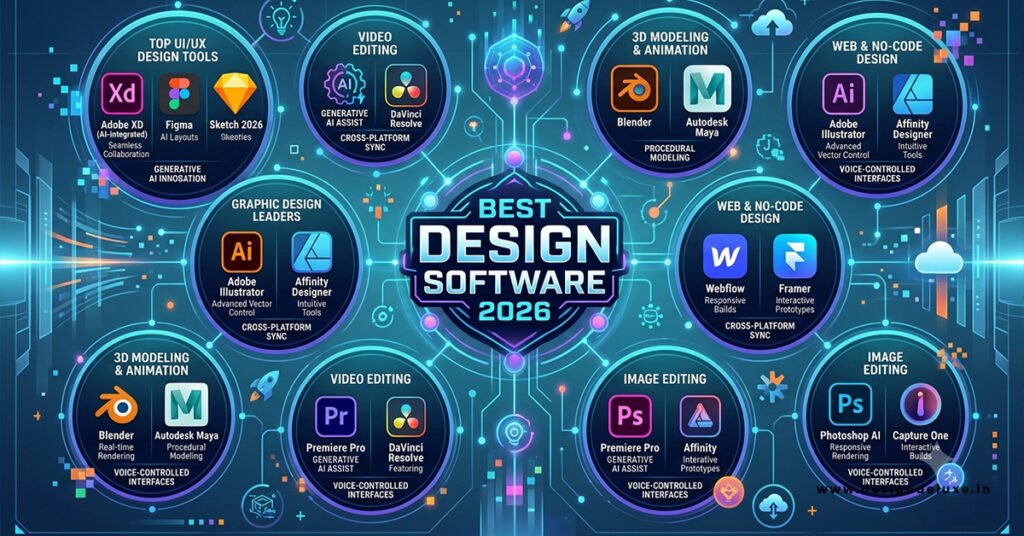
Best Design Software 2026: Tools Professionals Use still comes down to a short list that actually ships client work without drama. Here’s the quick breakdown:
- Figma remains the collaboration king for interface and product design.
- Adobe Creative Cloud (Photoshop + Illustrator) still owns high-end print, photo, and vector production.
- Affinity Suite delivers near-pro results for a one-time fee.
- Canva Pro handles fast marketing assets when speed beats pixel-perfect control.
- Open-source options like Krita and Inkscape keep costs at zero for illustration and vector work.
Pick based on your daily tasks, not the loudest marketing claims.
Why Best Design Software 2026: Tools Professionals Use Actually Matters
You can own every subscription on the planet and still miss deadlines if the tool fights your process. In my experience, the difference between a tool that feels like an extension of your hand and one that forces extra steps is measured in hours per week. Beginners and intermediate designers waste the most time jumping between apps that don’t talk to each other.
The kicker is that the “best” tool in 2026 isn’t the one with the flashiest AI features. It’s the one that matches the kind of files you deliver and the people who need to open them.
Best Design Software 2026: Tools Professionals Use for Different Jobs
UI and Product Design
Figma still sits at the center of most product teams. Real-time multiplayer editing, shared libraries, and developer handoff keep the feedback loop tight. The free tier covers solo work and small projects. Paid plans start around $15 per editor per month when you need unlimited files and advanced permissions.
If you’re on a Mac-only shop that prefers native apps, Sketch remains solid. Collaboration is less seamless than Figma’s browser model, but the performance on large files is excellent.
Print, Branding, and Illustration
Adobe Illustrator and Photoshop remain the professional standard for logos, packaging, and complex photo work. The Creative Cloud subscription bundles everything, including Firefly generative tools that now live inside the apps. You pay monthly, but the ecosystem of plugins, stock assets, and industry-standard file formats still wins when clients demand .ai or layered .psd files.
Affinity Designer and Affinity Photo offer a credible alternative. One-time purchase, no subscription, and feature sets that cover 90 percent of day-to-day professional work. In my experience, switching from Adobe to Affinity for a mid-size branding project saved roughly $50–60 per month per seat with almost no loss in output quality.
Quick Marketing and Social Assets
Canva Pro is the tool most freelancers reach for when the brief is “need three Instagram carousels by end of day.” Brand kits, Magic Studio AI tools, and a massive template library make it fast. It’s not a replacement for Illustrator on tight vector logos, but it crushes volume work.
Illustration and Concept Art
Krita (free) and Clip Studio Paint remain strong for digital painting. Krita’s brush engine and open-source model make it a favorite among concept artists who want zero recurring cost. Adobe Fresco and Procreate (iPad) still dominate mobile illustration workflows.
Comparison Table: Best Design Software 2026: Tools Professionals Use
| Tool | Best For | Pricing Model | Collaboration | Learning Curve | Standout Strength |
|---|---|---|---|---|---|
| Figma | UI/UX, product design | Free + $15+/editor/mo | Excellent | Low-Medium | Real-time multiplayer + Dev Mode |
| Adobe Creative Cloud | Print, photo, complex vector | Monthly subscription | Good | Medium-High | Industry file standards + Firefly |
| Affinity Suite | Branding, illustration | One-time purchase | Limited | Medium | No subscription, near-pro features |
| Canva Pro | Marketing, social assets | Free + paid tier | Strong | Very Low | Speed and templates |
| Krita | Digital painting | Free | Basic | Medium | Powerful brushes, zero cost |
| Inkscape | Vector graphics | Free | Basic | Medium | Full SVG support, open source |
Step-by-Step Action Plan for Beginners
- Audit your actual deliverables. List the last ten projects. Were they interfaces, logos, social posts, or packaging? Match the tool to the majority of that list.
- Start with the free tier. Open a Figma account and a Canva account the same day. Build one simple project in each. Notice which interface feels less like work.
- Add one power tool. If you need print-ready files or advanced photo work, trial Adobe or buy Affinity. Give yourself two real client projects before deciding.
- Set up a shared system early. Create a simple folder structure and a master brand file (colors, fonts, logos) inside your chosen tool. What usually happens is beginners skip this and then spend hours hunting for the right logo version six months later.
- Practice the handoff. Export a design and send it to a friend or imaginary developer. If the file arrives messy, fix the process before the real client project.
I’d do this sequence every time I onboard a new designer. It prevents the classic “I bought three subscriptions and still don’t know which one to open” trap.
Common Mistakes & How to Fix Them
Mistake 1: Collecting tools like trading cards.
Most intermediate designers end up with Figma, Canva, Adobe, Affinity, and three AI generators. The fix is ruthless. Pick one primary tool for 80 percent of the work and one secondary for the rest. Archive the rest.
Mistake 2: Ignoring file format reality.
Clients still ask for layered Photoshop files or editable Illustrator files. Designing everything in Canva and then rebuilding it later wastes time. Match the final deliverable format from day one.
Mistake 3: Treating AI as a finished product.
Generative features in Adobe Firefly, Figma, and Canva are excellent for first drafts and variations. They are rarely the final art. Always plan a manual refinement pass.
Mistake 4: Skipping version control and shared libraries.
When three people edit the same logo file without a system, chaos follows. Use Figma libraries or Adobe Libraries from the first project.
Best Design Software 2026: Tools Professionals Use — Practical Recommendations by Role
- Freelance brand designer on a budget: Affinity Suite + Canva Pro.
- Product designer at a startup: Figma first, Adobe only when the brand team needs it.
- Marketing team of five: Canva Pro with brand kit locked down, Figma for any interactive pieces.
- Illustrator or concept artist: Krita or Clip Studio as the daily driver, Photoshop for final compositing if needed.
The tools that survive year after year are the ones that respect your time and the client’s expectations. Fancy feature lists matter less than consistent delivery.
For official details on current pricing and feature sets, check the Figma pricing page, the Adobe Creative Cloud plans, and the Affinity store.
Key Takeaways
- Match the tool to the majority of your deliverables, not the marketing hype.
- Figma leads for collaborative interface work; Adobe still dominates complex production files.
- Affinity remains the strongest one-time-purchase alternative in 2026.
- Canva Pro wins on speed for marketing volume.
- Free tools like Krita and Inkscape are fully professional for illustration and vector work.
- Start free, test on real projects, then commit.
- Build a simple shared system (brand kit + folder structure) on day one.
- AI is a draft partner, not the final designer.
The real advantage in 2026 isn’t owning the most tools. It’s owning the few that let you finish the job cleaner and faster than the competition. Open Figma or Affinity this week, rebuild one past project, and decide which one actually feels like the right extension of your process. That’s the only ranking that counts.
FAQs
What makes the Best Design Software 2026: Tools Professionals Use different from free online editors?
Professionals need reliable file formats, precise control, and collaboration that free editors often lack. Figma, Adobe, and Affinity deliver production-ready files and team workflows that hold up under real client deadlines.
Which Best Design Software 2026: Tools Professionals Use should a complete beginner start with?
Start with Figma’s free plan for interface work or Canva Pro for marketing assets. Both have low learning curves and let you produce usable work within a day before investing in paid tools.
Is Affinity still worth buying as part of Best Design Software 2026: Tools Professionals Use?
Yes. The one-time purchase model still delivers near-Adobe quality for branding, illustration, and photo work without monthly fees, making it a strong choice for freelancers watching costs.