Social Media Advertising
TikTok Shop setup guide for beginners just got simpler. This platform turns casual scrolling into direct sales for small ecommerce brands. If you’re sitting on products but struggling with traffic, TikTok Shop delivers impulse buys through short videos and live streams.
Ready to set it up? Let’s walk through everything step by step. No prior experience needed.
What Is TikTok Shop and Why It Matters for Beginners
TikTok Shop lets sellers list products directly in the app. Users buy without leaving the platform. Videos, lives, and the Shop tab all become storefronts.
In 2026, it’s exploding for small businesses. Fast shipping options and creator affiliate programs help new sellers compete. You don’t need thousands of followers to start selling — just solid products and consistent content.
The real win? Discovery. Your items show up in feeds based on trending sounds, hashtags, and user interests. Many beginners see first sales within days of going live.
Prerequisites Before You Start
Don’t jump in blind. Check these first:
- Must be 18+ and based in the US (or supported market).
- Valid government ID (driver’s license, passport, or state ID).
- US bank account for payouts.
- Business details — individual sellers use SSN/ITIN; companies need EIN and registration docs.
- Products that comply with TikTok’s policies (no prohibited items like counterfeit goods).
Approval usually takes 24-48 hours after submitting documents. Have everything ready to avoid delays.
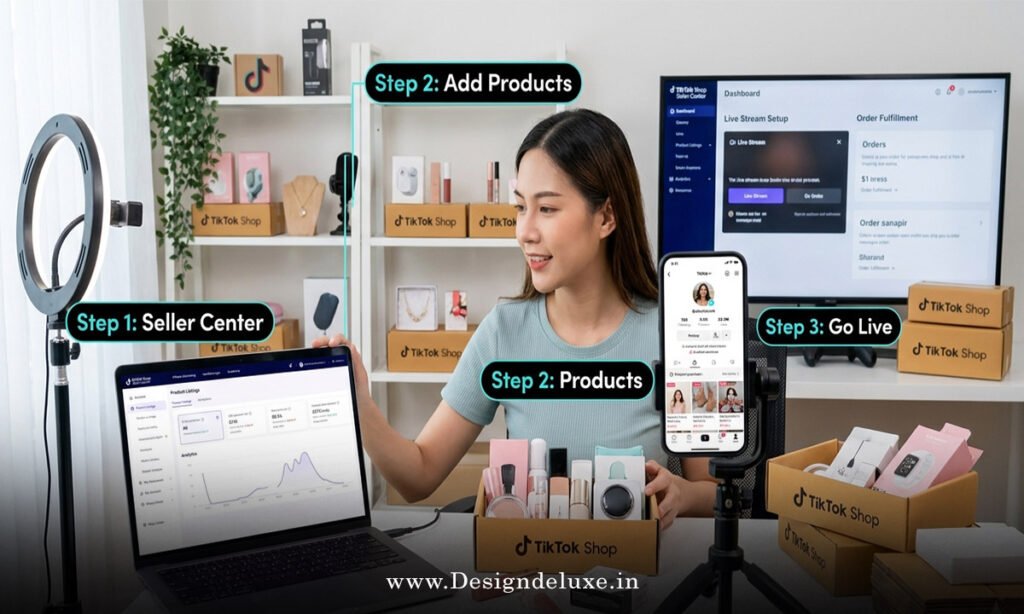
Step-by-Step TikTok Shop Setup Guide
Follow this exact process:
- Create Your Seller Account
Head to the TikTok Seller Center. Sign up with your TikTok account, email, or phone. Choose “Individual” or “Business” type. Enter basic info and verify your phone/email. - Complete Business Verification
Upload your ID, address proof, tax info (W-9 form), and bank details. For businesses, add EIN and registration docs. Be accurate — mismatches cause rejections. - Set Up Shop Basics
Pick a catchy shop name. Add logo, banner, and bio. Define your primary product category. Link your main TikTok account for better visibility. - Configure Shipping and Warehouse
TikTok often defaults to their shipping solution. Add your warehouse address (must be USPS-verified). Set clear shipping times, rates, and return policies. Fast shipping (under 7-10 days) boosts rankings. - Add Products
Upload one by one or in bulk. Include high-quality images (multiple angles), detailed descriptions, pricing, and variants (sizes/colors). Optimize titles with searchable keywords. Sync via Shopify if you already have a store. - Activate Features
Link your official TikTok account. Set up payment methods. Review compliance settings. Once approved, your products go live.
The whole process takes 1-3 days for most beginners.
Optimizing Your TikTok Shop for Sales
Setup is just the start. Make your shop convert:
- Use eye-catching visuals and lifestyle photos.
- Write benefit-focused descriptions.
- Set competitive pricing with room for promotions.
- Enable “Shop” tab on your profile.
Pro move for beginners: Start small with 5-10 bestsellers. Perfect those listings before expanding.
Once your shop runs, drive traffic with strong content. Master TikTok video ad creative design for small ecommerce brands to create hooks that stop scrolls and spark buys.
Common Mistakes Beginners Make (And How to Fix Them)
- Skipping verification details: Leads to delays. Fix: Double-check every document matches your account info.
- Poor product photos: Blurry or stock images kill trust. Fix: Shoot real, well-lit content yourself.
- Ignoring policies: Sudden suspensions. Fix: Read TikTok Shop Content Policy before posting.
- No content strategy: Empty shop with zero traffic. Fix: Post daily videos showcasing products.
- Slow shipping: Bad reviews tank performance. Fix: Over-communicate delivery times upfront.
Test your shop from a buyer’s perspective early.
TikTok Shop Costs and Fees in 2026
Expect a unified referral fee around 6% (covers commission + processing). New sellers often get promotional lower rates for the first 30 days. No monthly platform fee for basic use. Budget for product samples, content creation, and optional ads.
Measuring Success as a Beginner
Track these metrics in Seller Center:
- Views and impressions
- Click-through rates
- Conversion rate
- Order volume and refunds
Aim for steady growth in the first 30 days. Use built-in analytics to tweak what works.
Key Takeaways
- Complete verification thoroughly before adding products.
- Focus on high-quality images and fast shipping from day one.
- Content drives 80%+ of discovery on TikTok Shop.
- Start small, learn from initial sales, then scale.
- Combine organic videos with affiliate creators for faster growth.
- Monitor fees and policies regularly as they evolve.
- Consistency beats perfection for beginners.
Your TikTok Shop setup guide for beginners ends here — but your selling journey begins. Open Seller Center today, gather your documents, and launch your first listings this week. The platform rewards action-takers who show up consistently with products people actually want.
FAQs
How long does TikTok Shop approval take for beginners?
Most accounts get approved within 24-48 hours after submitting complete documents. Delays usually come from mismatched information.
Can I sell on TikTok Shop without a big following?
Yes. Beginners can start selling immediately after approval. Strong product videos and affiliate creators help generate initial sales without a large audience.
Do I need a website to set up TikTok Shop?
No. You can run everything directly in TikTok. However, connecting Shopify makes inventory management easier for growing ecommerce brands.