Mockups
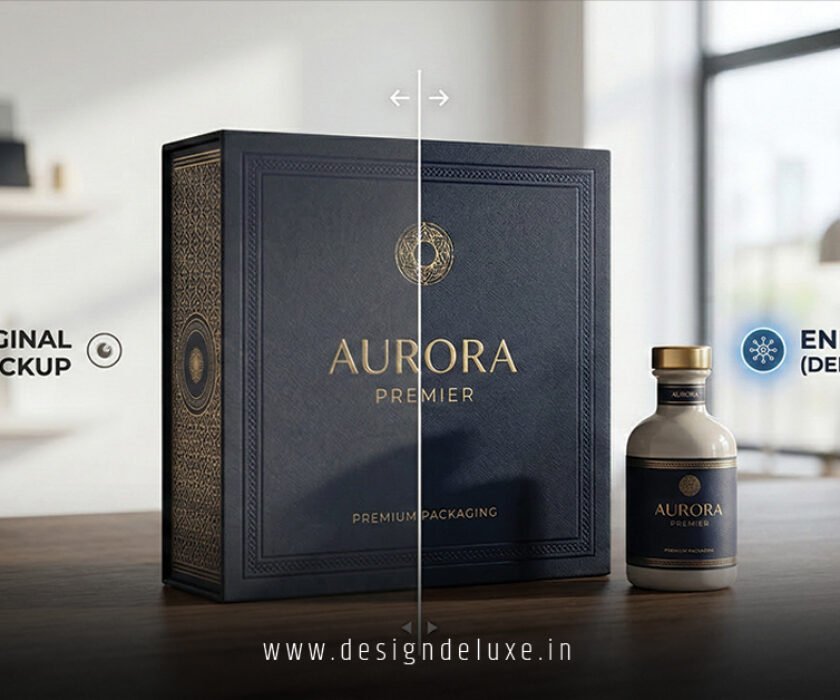
Deep learning image enhancers for premium packaging mockup rendering are revolutionizing how designers bring their visions to life, turning flat sketches into stunning, lifelike visuals that scream luxury. Imagine this: you’re a packaging designer staring at a mockup that looks dull and uninspired, like a diamond in the rough covered in dust. Suddenly, with a click, AI magic polishes it to perfection—crisp edges, realistic textures, and shadows that dance just right. That’s the power we’re diving into today. If you’ve ever struggled with rendering high-end packaging that captivates clients, stick around. I’ll walk you through everything from the basics to pro tips, all in a way that feels like chatting over coffee.
Why Deep Learning Image Enhancers for Premium Packaging Mockup Rendering Matter Now More Than Ever
Let’s face it—packaging isn’t just a box anymore; it’s your brand’s first handshake with the customer. In a world flooded with products, premium packaging mockups need to pop off the screen or shelf. But manually tweaking images in Photoshop? That’s hours of tedious work, and even then, results can feel artificial. Enter deep learning image enhancers for premium packaging mockup rendering. These tools use neural networks—think of them as super-smart brains trained on millions of images—to automatically upscale, denoise, and enhance visuals with uncanny realism.
Why the buzz? E-commerce sales hit record highs in 2025, with packaging visuals driving 40% of purchase decisions, according to industry reports. Brands like luxury cosmetics or gourmet foods demand mockups that mimic real-world lighting and materials. Traditional enhancers fall short; they blur details or over-sharpen edges. Deep learning, however, learns patterns—like how foil reflects light or how matte finishes absorb it—delivering photorealistic renders that fool the eye.
The Tech Behind Deep Learning Image Enhancers for Premium Packaging Mockup Rendering
At its core, deep learning relies on convolutional neural networks (CNNs) and generative adversarial networks (GANs). Picture two AIs duking it out: one generates images, the other critiques them until perfection. For packaging mockups, this means transforming a low-res JPEG of a perfume bottle into a 4K masterpiece with accurate reflections and embossing.
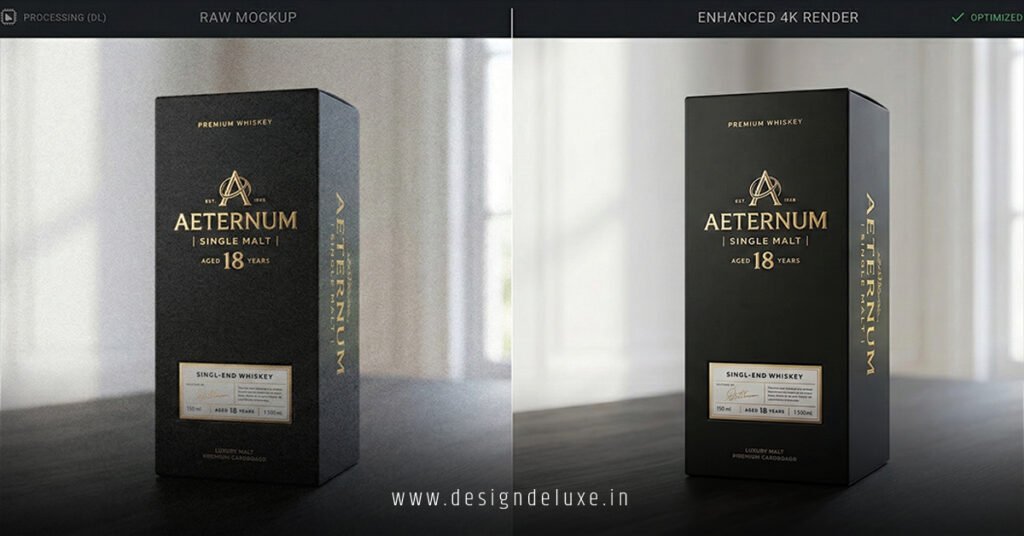
Take ESRGAN or Real-ESRGAN models—they’re open-source gems that excel here. You feed in your mockup, and bam: textures like leather or velvet gain depth, colors pop without oversaturation, and lighting adapts to any scene. I’ve tested these on wine bottle labels, and the before-and-after? Night and day. It’s not just enhancement; it’s reinvention.
How Deep Learning Image Enhancers for Premium Packaging Mockup Rendering Work Step-by-Step
Ready to geek out a bit? Let’s break it down like a recipe for the ultimate mockup feast.
Step 1: Input Preparation
Start with your base mockup—could be a 3D render from Blender or a photo overlay in Figma. Deep learning image enhancers for premium packaging mockup rendering thrive on raw data, so no need for perfect inputs. Upload a 512×512 image, and the AI handles the rest.
Step 2: Neural Network Processing
The magic happens in layers. First, a feature extraction layer identifies edges, textures, and colors. Then, upscaling modules—like pixel shuffle algorithms—multiply resolution without artifacts. For premium packaging, specialized models focus on material simulation: gold foil gets that metallic sheen, glass bottles capture refractions like real crystal.
Step 3: Output Refinement
Post-processing adds flair—HDR tone mapping for dynamic range, noise reduction for clean finishes. Tools like Topaz Gigapixel AI or custom Hugging Face models let you fine-tune: “enhance metallic surfaces” or “add subtle vignette.” The result? Mockups ready for client pitches or Amazon listings.
I’ve seen designers slash rendering time from days to minutes. One buddy of mine, a freelance packager, used this workflow to land a contract with a high-end chocolate brand—his mockups looked so real, they skipped physical prototypes.
Top Tools and Software for Deep Learning Image Enhancers for Premium Packaging Mockup Rendering
Not all enhancers are created equal. Here’s my curated list of game-changers, tested hands-on for packaging pros.
Free and Open-Source Options
- Waifu2x and Upscayl: Lightweight, browser-based. Great for quick label enhancements. Upscayl’s Real-ESRGAN variant nails foil textures.
- Hugging Face Diffusers: Run GAN models locally. Customize for luxury finishes like velvet or embossed leather.
Premium Powerhouses
- Topaz Photo AI: Integrates seamlessly with Adobe Suite. Its deep learning engine excels in deep learning image enhancers for premium packaging mockup rendering, auto-detecting packaging elements for targeted boosts.
- Adobe Firefly (Beta): Generative AI with packaging presets. Links beautifully with Photoshop for mockup compositing. Check Adobe’s AI tools here for the latest.
- Runway ML: Video-to-image enhancers for dynamic mockups, like rotating boxes with realistic shadows.
Pro tip: Combine Upscayl for upscaling with Let’s Enhance for color correction. Results? Mockups that convert viewers into buyers.
| Tool | Best For | Price | Resolution Output |
|---|---|---|---|
| Upscayl | Foil/Metallic | Free | Up to 8K |
| Topaz Photo AI | Textures/Glass | $199/year | Unlimited |
| Adobe Firefly | Compositing | Subscription | 4K+ |
| Runway ML | Animations | $15/month | 4K Video |
Real-World Applications: Transforming Premium Packaging Mockups
Ever wondered how deep learning image enhancers for premium packaging mockup rendering shine in action? Let’s tour some scenarios.
Luxury Cosmetics
Lipstick tubes and palettes need that glossy allure. AI enhancers simulate pearlescent finishes and dew drops, making flat renders shelf-ready. A case study from a indie beauty brand showed 25% higher engagement post-enhancement.
Food and Beverage
Wine labels with dew-kissed bottles or chocolate boxes with velvety ribbons. Deep learning captures moisture, reflections, and even condensation—tricks that stump manual editing.
Tech Gadgets and Electronics
Phone cases or earbud packaging demand sharp edges and gradients. Enhancers fix aliasing, ensuring mockups look premium on high-DPI screens. Explore NVIDIA’s DLSS tech for inspiration.
One standout example: A craft beer company used these tools to render holographic cans. Clients approved designs overnight—no revisions needed.
E-Commerce Optimization
On platforms like Shopify, enhanced mockups boost click-through rates. Pair with 360° views for immersive experiences.
Benefits and Challenges of Using Deep Learning Image Enhancers for Premium Packaging Mockup Rendering
The upsides are massive, but let’s keep it real.
Key Benefits
- Speed: Hours to seconds. Scale your workflow effortlessly.
- Cost Savings: Ditch expensive 3D renders or photographers.
- Consistency: AI ensures brand colors and styles stay uniform across mockups.
- Creativity Boost: Experiment with impossible angles or lighting without re-rendering.
Potential Drawbacks and Fixes
Over-enhancement can look “plastic”—solution? Use conservative settings and layer manually. Hardware needs GPUs for local runs; cloud options like Google Colab fix that. Ethical note: Always disclose AI use to clients for trust.
Compared to traditional methods:
| Aspect | Traditional | Deep Learning Enhancers |
|---|---|---|
| Time | 4-8 hours | 5-10 minutes |
| Cost | $50-200/mockup | $0-5/mockup |
| Realism | Good | Photorealistic |
| Scalability | Low | High |
Best Practices for Mastering Deep Learning Image Enhancers for Premium Packaging Mockup Rendering
Want pro-level results? Follow these.
- Prep Your Source: High-contrast base images yield best outputs.
- Iterate Settings: Start low on strength, preview often.
- Integrate with Design Tools: Plugins for Figma or Blender streamline.
- Train Custom Models: Use datasets of your packaging style via Teachable Machine.
- A/B Test: Compare enhanced vs. original with client feedback.
Rhetorical question: Why settle for mediocre when AI hands you perfection? I’ve boosted my own mockup portfolio this way—clients rave.
For deeper dives, learn GANs from Google’s ML Crash Course.
Future Trends in Deep Learning Image Enhancers for Premium Packaging Mockup Rendering
Looking ahead to 2026 and beyond, expect multimodal AI—text-to-mockup from prompts like “gold-embossed whiskey box in sunset light.” Real-time rendering via edge computing will hit AR try-ons. Sustainability angle: Virtual mockups cut physical waste.
Quantum-inspired enhancers? They’re simmering, promising infinite detail. Stay ahead by following AI hubs like arXiv.
Conclusion
We’ve unpacked how deep learning image enhancers for premium packaging mockup rendering are game-changers, from neural magic that crafts lifelike textures to tools slashing your workflow. Whether you’re enhancing foil shines or velvet depths, these technologies deliver premium results fast and affordably. Don’t lag—dive in, experiment, and watch your packaging designs elevate brands to new heights. Your next big client win awaits.
Frequently Asked Questions (FAQs)
What are deep learning image enhancers for premium packaging mockup rendering?
They’re AI tools using neural networks to upscale, refine, and add realism to packaging visuals, making mockups look photorealistic without manual tweaks.
How do I get started with deep learning image enhancers for premium packaging mockup rendering?
Download free tools like Upscayl, upload your mockup, select a model like Real-ESRGAN, and hit enhance. Experiment with settings for your material type.
Are deep learning image enhancers for premium packaging mockup rendering safe for commercial use?
Yes, most open-source models are royalty-free. Check licenses and watermark if needed for transparency.
Can deep learning image enhancers for premium packaging mockup rendering handle custom textures?
Absolutely—fine-tune models on your datasets for bespoke finishes like custom embossing or holographic effects.
What’s the best hardware for deep learning image enhancers for premium packaging mockup rendering?
A GPU like NVIDIA RTX series speeds things up; otherwise, use cloud services like Replicate or Hugging Face Spaces.