AD Video / Motion GraphicsAd'sAnimatedSocial Media Advertising
Motion graphics animation and video editing for social media ads deliver the edge brands need to stop endless scrolls and drive real action. Forget static images that blend into the feed. These tools turn products into stories, features into feelings, and clicks into customers. In a world where attention lasts seconds, smart motion wins.
- What it is: Dynamic visuals combining animated graphics, text, effects, and edited footage tailored for platforms like Instagram Reels, TikTok, and Facebook Ads.
- Why it matters: Animated ads see significantly higher engagement than static ones, boosting brand recall and conversions in crowded feeds.
- Who needs it: Beginners testing waters and intermediates scaling campaigns who want professional polish without massive budgets.
- 2026 reality: AI speeds up production while authentic, purposeful movement stands out.
Here’s the thing. Platforms reward vertical, fast-paced content that hooks in the first 3 seconds. Get this right, and your ads don’t just run—they perform.
Why Motion Graphics Animation and Video Editing for Social Media Ads Dominate in 2026
Algorithms love video. Users crave it. Brands that master motion graphics animation and video editing for social media ads see their content cut through noise. Short clips with kinetic typography, subtle transitions, and 3D elements perform exceptionally well.
The kicker? It’s no longer about flashy explosions. Trends lean toward authenticity through imperfection, craft-driven details, and AI-assisted workflows that feel human. Think handcrafted textures mixed with smart generative fills. Liquid glass effects and procedural motion add depth without overwhelming mobile screens.
In my experience, businesses that invest here see quicker testing cycles and better ROI. One solid 15-second ad can outperform weeks of static posts.
Platform Snapshot Table
| Platform | Ideal Length | Key Motion Style | Must-Have Edit | Avg. Engagement Boost Potential |
|---|---|---|---|---|
| Instagram Reels | 7-15s | Kinetic text, micro-animations | Bold captions, quick cuts | High (vertical-first) |
| TikTok | 15-30s | Trending effects, beat-sync | Auto-captions, sound design | Very High |
| Facebook Ads | 15-60s | Story-driven 3D/product reveals | Clear CTA overlays | Strong for conversions |
| 20-45s | Professional kinetic typography | Data visualizations | Solid for B2B |
This breakdown saves guesswork. Match your edits to the platform, and results follow.
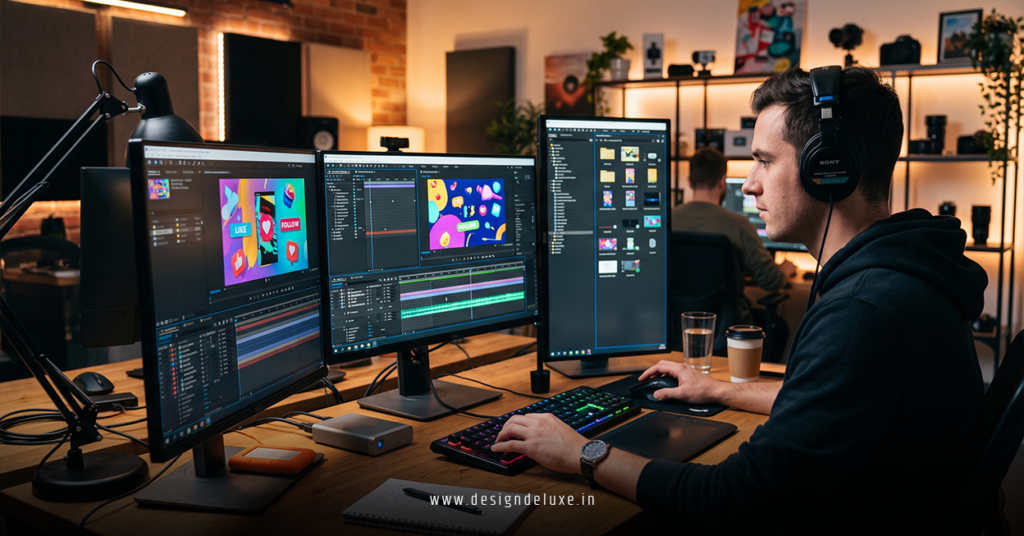
Essential Tools for Motion Graphics Animation and Video Editing for Social Media Ads
Start simple. Scale smart.
Beginner-friendly options:
- CapCut: Free, mobile-first, packed with AI beat detection, auto-captions, and templates built for viral ads.
- Adobe Express: Quick resizing, background removal, and social-specific exports. Great for non-editors.
Intermediate power tools:
- Adobe Premiere Pro + After Effects: Industry standard for precise motion graphics. Use AI roto brush and generative features to speed up complex work.
- DaVinci Resolve: Free professional color grading and audio tools that make your ads pop.
AI tools like Runway or ImagineArt handle initial concept generation, letting you focus on strategy. What usually happens is teams waste time on basics. Pick one stack and master it.
Step-by-Step: How to Create Motion Graphics Animation and Video Editing for Social Media Ads
Ready to build? Follow this action plan.
- Define the goal and hook: Know your objective—awareness, clicks, sales. Craft a 3-second hook: bold question, surprising visual, or pain point. No one watches past weak openings.
- Gather assets: Shoot vertical footage or source clean stock. Plan for motion—simple product shots work best for animation overlays.
- Edit the backbone: Import into your editor. Trim ruthlessly. Add cuts on beats. Ensure silent viewing works with big text.
- Layer motion graphics: Animate text to enter dynamically. Use subtle 3D elements or icons that guide the eye. Keep animations purposeful—guide attention, don’t distract.
- Polish audio and effects: Sync to trending or original sound. Balance voiceover, music, and SFX. Add light color grading for brand consistency.
- Test and export: Check on mobile. A/B different versions. Export platform-specific specs (1080×1920, H.264).
- Launch and analyze: Run tests. Watch completion rates and CTR. Iterate fast.
This workflow gets beginners producing decent ads in days. Intermediates shave hours with templates and AI assists.
Common Mistakes & How to Fix Them in Motion Graphics Animation and Video Editing for Social Media Ads
Everyone slips up. Spot these early.
- Overloading effects: Too many animations create visual chaos. Fix: Limit to 2-3 key movements per 15 seconds. Let one hero animation carry the message.
- Ignoring mobile-first: Horizontal videos die on feeds. Fix: Shoot and edit vertical. Test everything in phone preview.
- Weak first frames: Viewers scroll past boring starts. Fix: Front-load the best visual and text hook.
- No captions: Most watch muted. Fix: Large, readable text synced to dialogue. Tools like CapCut auto-generate solid starters.
- Poor pacing: Dragging sections kill momentum. Fix: Cut to the point. Use speed ramps for energy.
Learn these, and your work immediately feels pro. In my experience, fixing the hook alone doubles performance.
For deeper platform specs, check Meta’s advertising guidelines. For creative inspiration, see Envato’s motion trends. And for stats on video performance, Wyzowl’s latest report delivers reliable benchmarks.
Advanced Tips for Better Results
Push past basics. Blend real footage with motion graphics for authenticity. Experiment with imperfection—slight jitter or hand-drawn lines feel premium now. Use data visualizations in B2B ads to build trust fast.
Sound design matters hugely. A well-placed whoosh or subtle hum elevates polish. Track viewer drop-offs and adjust. Short loops work wonders for retargeting.
The sweet spot? Content that feels crafted yet effortless. Like a perfectly timed joke—setup, punch, payoff.
Key Takeaways
- Motion graphics animation and video editing for social media ads turn passive scrollers into engaged prospects when done right.
- Prioritize the first 3 seconds with strong hooks and vertical format.
- AI tools accelerate production, but human judgment on timing and emotion wins campaigns.
- Test relentlessly—small tweaks yield big lifts in CTR and conversions.
- Match styles to platform: subtle for LinkedIn, energetic for TikTok.
- Always design for sound-off viewing with bold captions and clear CTAs.
- Focus on purposeful movement that supports the story, not random flair.
- Stay current with trends like kinetic typography and crafted 3D while keeping brand voice consistent.
Master this, and social ads become a reliable growth engine instead of a money pit.
Stop treating video as an afterthought. Grab CapCut or Premiere today, film one simple product shot, and animate a basic text reveal. Post it. Measure what happens. Iterate tomorrow. Your next high-performing ad is one edit away.
FAQs
How long does it take to learn motion graphics animation and video editing for social media ads?
Beginners can produce basic ads in a weekend with CapCut. Expect 4-8 weeks of consistent practice to reach intermediate level where you confidently handle After Effects for custom animations.
What budget should I set for professional motion graphics animation and video editing for social media ads?
Freelancers charge $500-$3000 per ad depending on complexity. DIY with free tools keeps costs near zero initially. Scale to agencies once you validate ROI.
Can small businesses compete with big brands using motion graphics animation and video editing for social media ads?
Absolutely. Authenticity often beats polished perfection. Focus on solving customer problems with clear, fast-paced visuals. Many solopreneurs outperform corporations by staying nimble and trend-responsive.