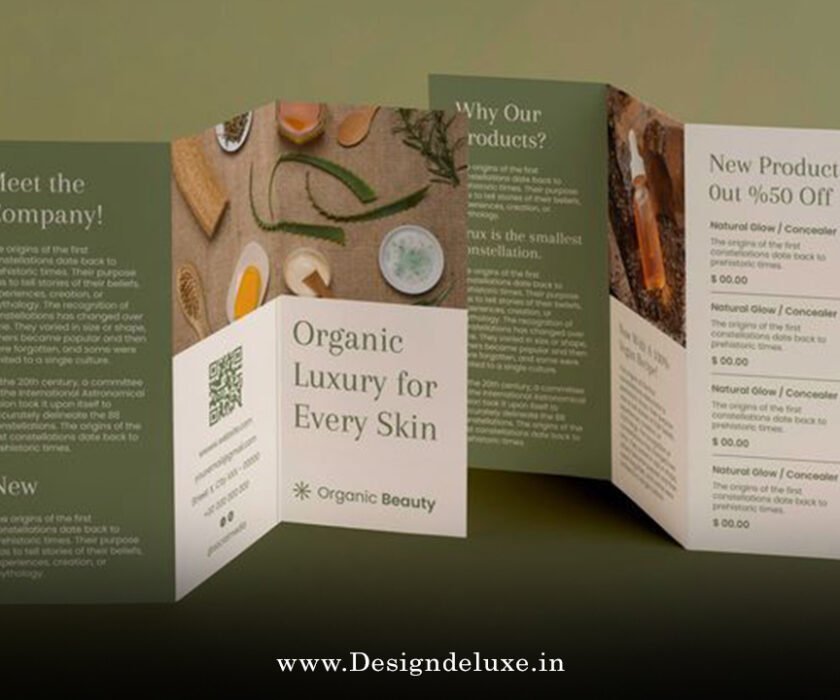
Flyer / Broucher Design
Creative event flyer design with texture and grunge effects has this raw, rebellious energy that grabs attention instantly. You know that feeling when you spot a flyer on a street pole or café bulletin board that looks like it’s been through a mosh pit—worn edges, gritty overlays, distressed type screaming “come join the chaos”? That’s the magic we’re diving into today. In a world flooded with clean, minimalist designs, creative event flyer design with texture and grunge effects stands out by embracing imperfection, adding depth, and evoking emotion. Whether you’re promoting a underground music gig, an art exhibition, a vintage market, or a punk-inspired party, this style infuses personality that polished vectors just can’t match.
Why does this approach work so well in 2025 and beyond? Trends show a craving for human touch amid AI perfection—think textured grains, organic distress, and that nostalgic 90s vibe making a comeback. Let’s break it down step by step so you can master creative event flyer design with texture and grunge effects yourself.
What Makes Creative Event Flyer Design with Texture and Grunge Effects So Powerful?
At its core, creative event flyer design with texture and grunge effects draws from the grunge movement of the early 1990s. Back then, Seattle’s music scene—Nirvana, Pearl Jam—spilled over into visuals: photocopied zines, torn posters, layered grit. Designers like David Carson threw out grid rules for chaotic, expressive layouts. Today, it’s revived with a modern twist—raw aesthetics signaling authenticity in a digital age.
Imagine your flyer as a battle-worn ticket stub from an epic night. Textures mimic real-world wear: paper creases, ink smudges, concrete cracks. Grunge effects add that “lived-in” feel—scratches, fades, noise. This isn’t just decoration; it’s storytelling. It tells attendees: “This event is real, edgy, unforgettable.”
Have you ever passed a glossy flyer without a second glance? Now picture one with subtle grit pulling your eye in like a magnet. That’s the edge.
Understanding Textures and Grunge Effects in Event Flyer Design
Textures are visual patterns adding surface interest—think paper grain, fabric weave, rust, or urban decay. Grunge takes it further: deliberate distress like scratches, stains, tears.
In creative event flyer design with texture and grunge effects, textures ground the piece in reality. A smooth background feels flat; add a subtle concrete texture, and suddenly it’s tactile. Grunge effects amplify mood—perfect for rock concerts, street art shows, or alternative festivals.
Common grunge elements include:
- High-contrast overlays (black ink splatters on white)
- Low-opacity noise layers
- Distressed fonts with eroded edges
- Layered photocopy artifacts
These create depth without clutter—if balanced right.
Why Choose Creative Event Flyer Design with Texture and Grunge Effects for Your Next Promotion?
Events thrive on emotion. A corporate seminar might need sleekness, but an indie gig? It demands rebellion. Creative event flyer design with texture and grunge effects conveys energy, exclusivity, underground cool.
Benefits include:
- Higher engagement — Gritty designs stop scrolls on social media.
- Memorability — People remember the “cool worn look.”
- Versatility — Works for music, art, Halloween parties, skate events.
- Trend alignment — 2025 trends favor textured grains, handcrafted imperfection over sterile AI.
It’s not about looking messy; it’s controlled chaos.
Essential Tools and Software for Creative Event Flyer Design with Texture and Grunge Effects
You don’t need a fancy setup. Start simple.
Adobe Photoshop excels at raster textures—blending modes (Overlay, Multiply), filters (Noise, Grain), brushes for custom distress.
Adobe Illustrator handles vectors—trace textures for scalability, use opacity masks for non-destructive grunge.
Free alternatives? GIMP mimics Photoshop; Inkscape does vector work. Even Canva now supports texture uploads and blend modes for quick grunge.
Stock resources: Sites like Freepik, Adobe Stock offer grunge textures. Or photograph your own—old walls, crumpled paper—for uniqueness.
Pro tip: Always work at 300 DPI for print flyers.
Step-by-Step Guide to Mastering Creative Event Flyer Design with Texture and Grunge Effects
Ready to create? Here’s a practical workflow.
Step 1: Plan Your Concept and Layout
Sketch first. What’s the event vibe? Music? Art? Size it right—standard 4×6″ or A5, with bleed.
Hierarchy matters: Bold event name top, date/time/details below, call-to-action bottom.
Step 2: Set Up Your Canvas and Base Elements
New document. Add background color—dark for moody grunge, light for vintage.
Place main image or graphic. For concerts, use band photo; for parties, abstract shapes.
Step 3: Introduce Textures Organically
Import texture (stained paper, concrete). Place as top layer.
Set blend mode to Overlay or Soft Light. Adjust opacity 20-50%—subtle wins.
Layer multiple: One for paper grain, another for scratches.
Step 4: Apply Grunge Effects Creatively
Add noise: Filter > Noise > Add Noise.
For distress: Use eraser with rough brush, or layer masks.
Grunge text: Choose distressed font (Bebas Neue, or custom). Add inner glow, then overlay texture clipped to text.
In Illustrator: Image Trace grunge photo, apply as opacity mask.
Step 5: Refine Colors and Contrast
Desaturate for vintage, or boost vibrance selectively.
High contrast draws eyes—dark grunge on bright accents.
Step 6: Test and Export
Print proof. Check legibility. Export PDF for print, PNG/JPG for digital.
Advanced Techniques to Elevate Your Creative Event Flyer Design with Texture and Grunge Effects
Want pro-level polish?
- Layer blending mastery — Experiment: Screen for highlights, Multiply for shadows.
- Custom brushes — Create splatter brushes in Photoshop.
- Vector grunge — Trace bitmaps in Illustrator for scalable effects.
- Halftone overlays — Add retro print feel.
- Torn paper illusions — Use shapes, shadows for depth.
Mix analog: Scan real textures, digitize.
Common Mistakes to Avoid in Creative Event Flyer Design with Texture and Grunge Effects
Too much grunge = illegible mess. Balance is key—texture enhances, doesn’t overwhelm.
Don’t neglect readability. Test at arm’s length.
Avoid overused stock—customize.
Keep file size manageable for digital sharing.
Inspiring Examples and Real-World Applications of Creative Event Flyer Design with Texture and Grunge Effects
Think 90s band posters: Layered photocopies, hand-scrawled text.
Modern: Indie festivals use grunge for authenticity.
Concert flyers: Dark backgrounds, white distressed text, ink drips.
Art shows: Subtle paper textures, faded edges.
Halloween events: Heavy grunge, cracks, stains.
These pull crowds by feeling genuine.
Tips for Printing and Distributing Your Creative Event Flyer Design with Texture and Grunge Effects
Choose matte paper—enhances texture feel.
Spot UV or foil? Skip—grunge loves raw.
Distribute strategically: Street poles, venues, social media.
QR codes? Integrate with grunge—distressed frame.
Conclusion: Unleash Your Creativity with Texture and Grunge Effects Today
Creative event flyer design with texture and grunge effects transforms ordinary promotions into magnetic experiences. By layering gritty textures, embracing distress, and balancing chaos with clarity, you create flyers that resonate emotionally. Whether beginner or seasoned, experiment fearlessly—imperfection is the point. Grab your tools, find inspiring textures, and craft something raw and real. Your next event deserves that edge. Go make it unforgettable.
Here are three high-authority external links for more inspiration and resources:
- Learn more about grunge design history on Tribu’s blog.
- Explore Adobe’s guide to distressed textures in Illustrator.
- Check out Envato Tuts+ tips for event flyers, including texture advice.
FAQs About Creative Event Flyer Design with Texture and Grunge Effects
What software is best for creative event flyer design with texture and grunge effects?
Photoshop shines for raster textures and blending, while Illustrator offers scalable vector grunge via opacity masks. Beginners can start with Canva for quick results.
How do I ensure readability in creative event flyer design with texture and grunge effects?
Use high-contrast colors, limit texture opacity on text areas, and choose distressed fonts sparingly. Always preview at actual size.
Where can I find free textures for creative event flyer design with texture and grunge effects?
Sites like Freepik, Unsplash, or texture libraries offer royalty-free options. Photograph your own for originality.
Is creative event flyer design with texture and grunge effects still trendy in 2025?
Absolutely—trends lean toward textured grains and handcrafted imperfection as a counter to AI polish.
Can I use creative event flyer design with texture and grunge effects for professional corporate events?
Subtly, yes. Tone down intensity for elegance—light paper textures add sophistication without full grit.