UI & UX
UI vs UX design: key differences explained with examples—this phrase pops up everywhere when people try to untangle two of the most misunderstood terms in tech. You’ve probably heard them thrown around interchangeably, but they’re not the same thing. Think of it like this: if your favorite app were a restaurant, UI would be the plating and décor, while UX would be how smoothly you get seated, order, eat, and leave feeling satisfied. One dazzles the eyes; the other orchestrates the entire journey. In this guide, we’ll break down UI vs UX design: key differences explained with examples so clearly that you’ll never mix them up again.
What Exactly Is UI Design?
Let’s start with the flashy one—User Interface (UI) design. UI is all about the tangible, visible elements users interact with. Buttons, icons, typography, colors, spacing, animations—everything you can see and touch on screen falls under UI.
Imagine opening Netflix. Those sleek thumbnails, the bold red accents, the perfectly aligned menu icons? That’s UI doing its magic. A great UI designer obsesses over pixel-perfect details. They choose fonts that are readable yet stylish, craft buttons that practically beg to be clicked, and ensure the layout feels balanced on both a massive desktop monitor and a tiny phone screen.
UI designers live in tools like Figma, Sketch, or Adobe XD. They translate brand guidelines into visual language. Their goal? Make the product look professional, consistent, and delightful. But here’s the catch: a stunning UI can still fail if the experience underneath frustrates users.
What Exactly Is UX Design?
UI vs UX Design : Now flip the coin—User Experience (UX) design is the behind-the-scenes architect of how the product feels to use. UX designers ask questions like: Does this flow make sense? Is the user getting stuck? Are we solving their actual problem?
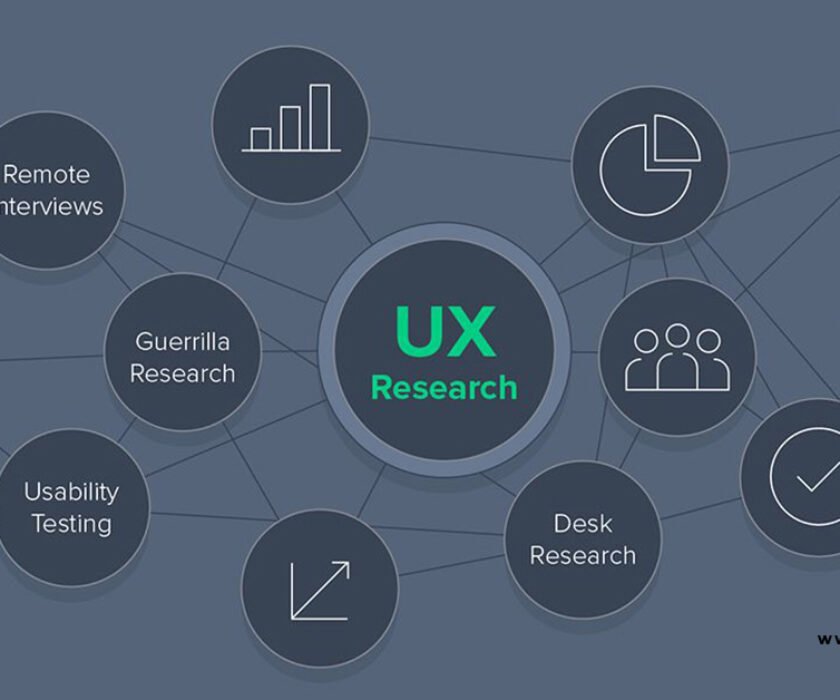
UX encompasses research, user testing, information architecture, wireframing, prototyping, and iteration. It’s the reason you can book an Uber in under 30 seconds without reading instructions. UX designers interview real users, map out journeys, and identify pain points long before a single color is chosen.
Think of UX as the scriptwriter and director of a movie. They decide the plot progression, pacing, and emotional beats. Without strong UX, even the most beautiful visuals fall flat.
UI vs UX Design: Key Differences Explained with Examples
Here’s where we get to the heart of it—UI vs UX design: key differences explained with examples in a way that sticks.
1. Focus: Aesthetics vs. Usability
UI focuses on how things look. UX focuses on how things work.
Example: Take Airbnb’s search results page. The UI designer chooses gorgeous property photos, elegant card layouts, and a calming color palette. The UX designer ensures filters appear logically, loading feels instant, and users can compare listings without endless scrolling. Beautiful cards (UI) mean nothing if users can’t find the right listing (UX).
2. Scope: Surface vs. Entire Journey
UI is the final visual layer. UX spans the entire product lifecycle—from initial research to post-launch analytics.
Example: When Spotify redesigned its home screen, UI handled the vibrant gradients and album art sizing. UX orchestrated the personalized playlists, intuitive swipe gestures, and discovery flow that keeps users listening longer. UI polished the surface; UX redesigned the engine.
3. Process: Creation vs. Research and Iteration
UI designers often start once wireframes are approved. They create high-fidelity mockups and style guides.
UX designers begin much earlier. They conduct surveys, create personas, sketch low-fidelity wireframes, run usability tests, and iterate based on data.
Real-world analogy: Building a house. The UX designer is the architect drawing blueprints and ensuring rooms flow logically. The UI designer is the interior decorator selecting paint colors, furniture, and lighting fixtures. You need both, but in very different phases.
4. Tools and Deliverables
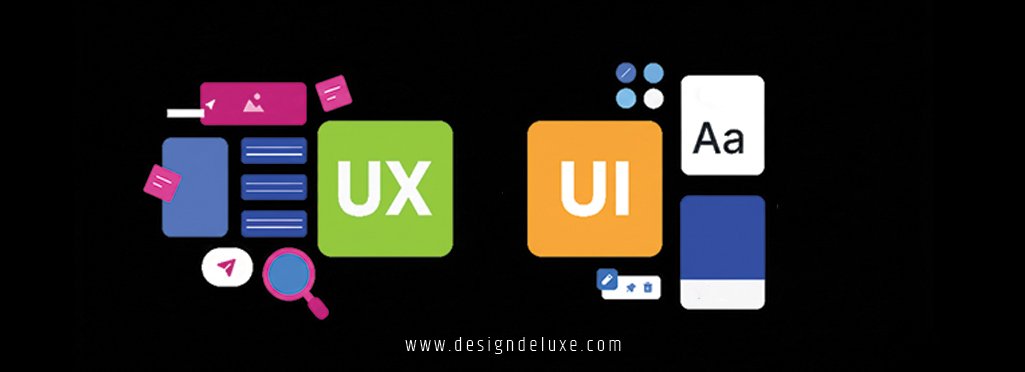
UI deliverables: mood boards, style guides, icons, final mockups.
UX deliverables: user personas, journey maps, wireframes, prototypes, usability reports.
Example: In a banking app, the UI team might design a sleek card with rounded corners and subtle shadows. The UX team ensures transferring money takes only three taps, with clear confirmation steps to prevent errors. One delights the eye; the other prevents costly mistakes.
5. Measurable Outcomes
UI success is often subjective—“Does it look modern?” UX success is quantifiable—reduced bounce rates, higher task completion, better Net Promoter Scores.
Case study insight: When Google simplified its homepage in the early days, it wasn’t just minimal UI; it was UX research showing users wanted speed over clutter. That blank page with a search bar? Pure UX genius wrapped in simple UI.
Where UI and UX Overlap (And Why Collaboration Matters)
UI vs UX Design : Despite their differences, UI vs UX design: key differences explained with examples wouldn’t be complete without acknowledging overlap. Many professionals today are “UI/UX designers” because the roles feed each other constantly.
A button’s color (UI) affects click rates (UX metric). Micro-interactions like a satisfying “like” animation (UI) boost engagement (UX goal). The best products emerge when UI and UX designers sit side-by-side, challenging and inspiring each other.
Think of Apple products. Jony Ive’s legendary hardware design blended aesthetics (UI thinking) with intuitive gestures and flow (UX thinking). The result? Devices people love using.
Real-World Examples That Highlight UI vs UX Design: Key Differences Explained with Examples
Let’s look at two apps everyone knows.
Instagram vs. Early MySpace
UI vs UX Design : Early MySpace had wild, customizable profiles—peak UI creativity. Users could add glitter text, background music, and chaotic layouts. It looked unique, but navigation was a nightmare. Finding friends or posts felt random. Terrible UX killed it.
Instagram launched with a clean, consistent UI—square photos, simple icons, limited fonts. But the genius was in UX: infinite scroll, easy uploading, algorithmic feed that kept you hooked. Simple UI + addictive UX = billions of users.
Duolingo’s Winning Combination
UI vs UX Design : Duolingo nails both. The UI uses bright colors, cute owl mascot, and gamified streaks—visually engaging. But the UX is masterful: bite-sized lessons, immediate feedback, adaptive difficulty, reminders calibrated to your habits. You feel progress every session. That emotional high? Pure UX. The cheerful visuals? Perfect UI support.
Why Understanding UI vs UX Design: Key Differences Explained with Examples Matters for Your Career
UI vs UX Design : Whether you’re hiring designers, starting a product, or switching careers, confusing UI and UX leads to mismatched expectations.
Companies waste months building beautiful apps that users abandon because core journeys weren’t researched. Conversely, clunky interfaces drag down even the best user flows.
If you’re learning design, start with UX principles—they teach empathy and problem-solving. Then layer on UI skills to bring ideas to life visually.
Resources to dive deeper:
- Nielsen Norman Group’s UX articles – gold standard for evidence-based UX research.
- Smashing Magazine’s UI design section – practical tutorials and trends.
- Google’s Material Design guidelines – excellent real-world UI system example.
Common Misconceptions About UI and UX
People often think:
- “UI is just making things pretty.” No—it’s strategic visual communication.
- “UX is only wireframing.” No—it’s research, testing, psychology, and business alignment.
- “One is more important.” Wrong. They’re partners. A gorgeous app with bad UX fails. A functional app with terrible UI feels dated and untrustworthy.
How to Choose Between UI and UX Roles (Or Become Both)
UI vs UX Design : Love color theory, typography, and visual trends? Lean UI.
Fascinated by human behavior, data analysis, and solving puzzles? Lean UX.
Many senior designers master both, becoming product designers who own entire features from research to pixel-perfect launch.
Conclusion: Bringing It All Together
UI vs UX design: key differences explained with examples boil down to this—UI is the look and feel of individual elements, while UX is the holistic journey that makes users accomplish goals happily and efficiently. One without the other creates incomplete products. The magic happens when they work in harmony.
Whether you’re building the next big app or simply appreciating great digital experiences, understanding these distinctions helps you recognize excellence. Next time you use a seamless app, ask yourself: is this great UI, brilliant UX, or (hopefully) both? Now you’ll know.
Start paying attention to the apps you love. Sketch some wireframes. Play with Figma. The world needs more thoughtful digital experiences—and you could help create them.
Frequently Asked Questions
1. What is the simplest way to remember UI vs UX design: key differences explained with examples?
Think of UI as the “what you see” (colors, buttons, layout) and UX as the “how it feels to use” (flow, ease, satisfaction). Example: A beautiful remote control (UI) that’s confusing to operate (bad UX).
2. Can someone be both a UI and UX designer?
Absolutely—many professionals are. Understanding UI vs UX design: key differences explained with examples helps specialists collaborate better, but full-stack product designers handle research through visual polish.
3. Which comes first in a project: UI or UX?
Always UX. You research needs, map journeys, and wireframe flows before deciding colors and icons. Skipping UX for pretty UI is like decorating a house before building the foundation.
4. How do UI and UX affect business success?
Great UX drives retention and conversions; great UI builds trust and brand perception. Companies like Apple and Airbnb succeed because they obsess over both.
5. Are there tools that help with both UI and UX design?
Yes! Figma excels at wireframing (UX) and high-fidelity mockups (UI). Miro is great for journey mapping, while Adobe XD and Sketch lean more visual.